















Introduction
When building a gaming PC, professional workstation, or high-performance monitor setup, many users focus on the graphics card and display specifications but overlook one critical component—the cable. A powerful GPU and a high-refresh-rate monitor can only perform at their maximum capability when the cable has enough bandwidth to transmit the required signal.
So, how many Hz can a PC cable run? The answer depends on several factors, including cable type, bandwidth standard, resolution, signal protocol, cable length, and device compatibility.
For example, a standard HDMI cable may support 1080p at 60Hz, while a high-performance DisplayPort cable or USB-C display cable can support 4K at 144Hz or even higher refresh rates. Choosing the wrong cable can result in a locked refresh rate, screen flickering, unstable signals, or failure to achieve the performance advertised by your monitor.
This guide explains the refresh rate limits of HDMI, DisplayPort, DVI, VGA, and USB-C cables, helping gamers, engineers, system integrators, and procurement professionals select the right high-speed cable solution.
For businesses sourcing reliable cables, working with an experienced USB-C cable manufacturer is also important because cable construction, shielding technology, connector quality, and internal wire design directly affect signal stability and long-term performance.
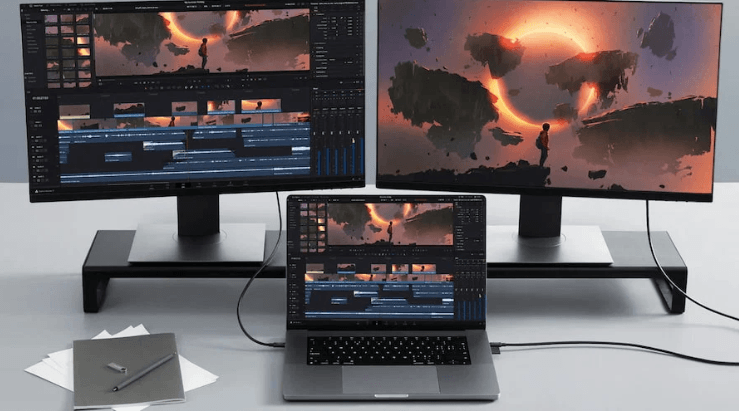
Understanding Refresh Rate (Hz) and Cable Bandwidth
Before comparing cable types, it is important to understand the relationship between Hz, resolution, and bandwidth.
Refresh rate, measured in Hertz (Hz), represents how many times a monitor refreshes the image every second. A 60Hz display updates the image 60 times per second, while a 240Hz gaming monitor refreshes four times faster.
Higher refresh rates require significantly more data transmission.
For example:
1080p at 60Hz requires relatively low bandwidth.
1440p at 144Hz requires much higher bandwidth.
4K at 144Hz requires extremely high bandwidth.
8K displays require advanced transmission standards such as HDMI 2.1 or DisplayPort 2.1.
The cable must support enough bandwidth between three key components:
Graphics card output
Cable transmission capability
Monitor input capability
If one part cannot support the required specification, the entire system will operate at the lowest supported performance level.
This means buying a 240Hz gaming monitor does not guarantee 240Hz performance unless the GPU port and cable specification also support it.
HDMI Cable Refresh Rate Capability
HDMI (High-Definition Multimedia Interface) is one of the most common display connection standards used in gaming monitors, televisions, laptops, and graphics cards.
However, different HDMI versions have very different bandwidth capabilities.
HDMI 1.4
HDMI 1.4 is an older standard but is still commonly found in many monitors and computers.
Typical performance:
1080p: Up to 144Hz
1440p: Up to around 75Hz
4K: Up to 30Hz
HDMI 1.4 can support high refresh rates at lower resolutions, but it has limited bandwidth for modern gaming applications.
For example, a gamer using a 1080p 144Hz monitor may achieve good performance with HDMI 1.4. However, users targeting 1440p high refresh gaming or 4K gaming should consider newer standards.
HDMI 2.0
HDMI 2.0 significantly improves bandwidth compared with HDMI 1.4.
Typical capability:
1080p: Up to 240Hz
1440p: Up to 144Hz
4K: Up to 60Hz
For many gaming setups, HDMI 2.0 remains a practical choice.
It supports:
High refresh gaming monitors
HDR video
4K entertainment systems
Modern graphics cards
A certified HDMI 2.0 cable provides stable transmission for most mainstream gaming and office applications.
HDMI 2.1
HDMI 2.1 is designed for next-generation displays requiring extremely high bandwidth.
Typical capability:
4K at 120Hz/144Hz
8K at 60Hz
Variable Refresh Rate (VRR)
Dynamic HDR
Advanced gaming features
HDMI 2.1 cables can support bandwidth up to 48Gbps depending on certification and implementation.
For high-end gaming PCs, professional video editing systems, and future-proof display installations, an Ultra High Speed HDMI cable is recommended.
However, buyers should note that the cable alone does not increase performance. The monitor and graphics card must also support HDMI 2.1.
DisplayPort Cable Refresh Rate Capability
DisplayPort is widely considered one of the best choices for high-refresh-rate PC gaming and professional monitor applications.
Compared with HDMI, DisplayPort is especially popular among PC gamers because many graphics cards provide advanced DisplayPort outputs optimized for high refresh rates.
DisplayPort 1.2
DisplayPort 1.2 remains capable for many gaming systems.
Typical performance:
1080p: Up to 240Hz
1440p: Up to 165Hz
4K: Up to 75Hz
For users running a 1080p 240Hz gaming monitor or 1440p 144Hz setup, DisplayPort 1.2 can still provide reliable performance.
DisplayPort 1.4
DisplayPort 1.4 improves bandwidth and introduces Display Stream Compression (DSC).
Typical capability:
1080p: Up to 240Hz
1440p: Up to 240Hz
4K: Up to 120Hz
8K: Up to 60Hz with DSC
DisplayPort 1.4 is widely used in professional gaming monitors, workstation displays, and content creation systems.
For engineers and IT procurement teams selecting monitor connection solutions, DisplayPort 1.4 provides an excellent balance between performance, compatibility, and cost.
DisplayPort 2.0 / 2.1
The newest DisplayPort standards significantly increase bandwidth.
They support:
4K at extremely high refresh rates
8K high refresh displays
Multi-monitor professional setups
Advanced workstation applications
DisplayPort 2.1 can deliver much higher bandwidth compared with previous generations, making it suitable for future high-resolution displays.
Engineering Case Study: Selecting High-Speed Display Cables for Professional Workstations
A European engineering design company upgrading its workstation environment required cables capable of supporting dual 4K monitors for CAD and 3D modeling applications.
The original setup used standard HDMI cables, which caused occasional display flickering when engineers switched to higher refresh settings.
During evaluation, the procurement team identified several problems:
Existing cables lacked sufficient bandwidth.
Cable shielding was inadequate near industrial equipment.
Long cable distances caused signal instability.
The solution was upgrading to professionally manufactured high-speed cables with:
Improved copper conductor structure
Multi-layer EMI shielding
Reinforced connector design
Strict signal integrity testing
OSKO provided customized cable solutions based on application requirements, including cable length optimization and durability improvements for professional environments.
This case demonstrates that cable selection is not only about connector type but also engineering design, material quality, and manufacturing reliability.
For businesses requiring stable performance, choosing an experienced custom USB cable supplier can reduce compatibility risks and improve product reliability.
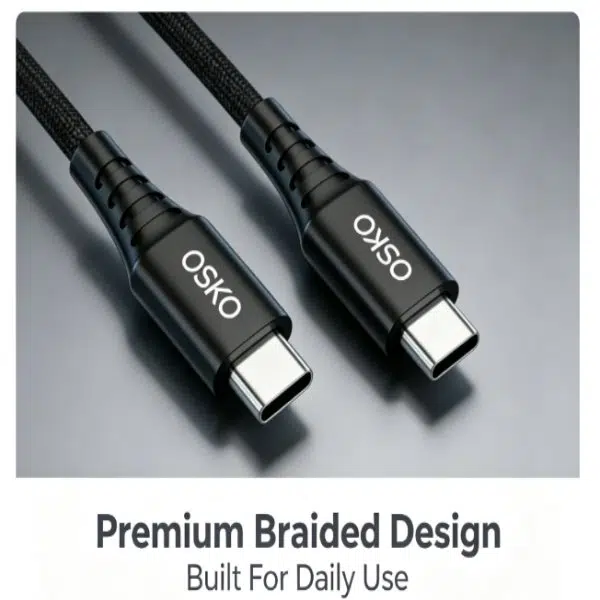
USB-C and Thunderbolt Cable Refresh Rate Capability
USB-C has changed the way modern devices connect. Unlike traditional USB ports that mainly focused on data transfer and charging, USB-C can also transmit video signals when combined with technologies such as DisplayPort Alt Mode or Thunderbolt.
However, not every USB-C cable can output video or support high refresh rates. The performance depends on:
USB-C port specification
Cable bandwidth
DisplayPort Alt Mode support
Thunderbolt certification
Monitor and GPU compatibility
USB-C DisplayPort Alt Mode
USB-C with DisplayPort Alt Mode allows compatible laptops, tablets, and desktop systems to transmit video through a USB-C connection.
Typical performance:
1080p: Up to 240Hz
1440p: Up to 144Hz or higher
4K: Up to 120Hz depending on bandwidth
8K: Possible with advanced implementations and compression
USB-C display cables are commonly used for:
Gaming laptops
MacBook external monitors
Portable monitors
Professional workstations
For example, a USB-C to DisplayPort cable can connect a laptop to a high-refresh-rate gaming monitor without requiring separate power and display cables.
For manufacturers and distributors, producing reliable USB-C display cables requires careful control of:
High-quality copper conductors
Signal integrity testing
Shielding structure
Connector durability
Power delivery capability
Thunderbolt Cable Performance
Thunderbolt technology provides even higher bandwidth compared with standard USB-C.
Thunderbolt 3
Thunderbolt 3 supports:
Up to 40Gbps bandwidth
Dual 4K displays at 60Hz
Single 5K display support
It is widely used in:
Professional video editing systems
Creative workstations
High-end laptops
Thunderbolt 4
Thunderbolt 4 maintains 40Gbps bandwidth but improves compatibility and minimum performance requirements.
Typical applications:
Dual 4K 60Hz monitors
High-speed external storage
Professional docking stations
Thunderbolt 5
Thunderbolt 5 increases bandwidth significantly.
Potential capability:
Up to 80Gbps bidirectional bandwidth
Higher bandwidth modes for demanding applications
Support for advanced multi-display setups
For future high-performance computing environments, Thunderbolt-compatible USB-C cables will become increasingly important.
DVI Cable Refresh Rate Capability
DVI (Digital Visual Interface) was widely used before HDMI and DisplayPort became mainstream.
Although older, some gaming monitors and graphics cards still support DVI connections.
Single-Link DVI
Typical capability:
1920×1200 at 60Hz
Single-link DVI is mainly suitable for basic office displays.
Dual-Link DVI
Dual-Link DVI provides higher bandwidth.
Typical capability:
1080p at 144Hz
1440p at 75Hz
For older gaming monitors, Dual-Link DVI can still provide acceptable performance.
However, DVI does not support modern features such as:
HDR
Advanced audio transmission
4K high refresh gaming
For new installations, DisplayPort, HDMI 2.1, or USB-C solutions are usually preferred.
VGA Cable Refresh Rate Capability
VGA is one of the oldest display connection technologies.
Because VGA uses analog signals, performance is heavily affected by:
Cable quality
Cable length
Electromagnetic interference
Display resolution
Typical VGA capability:
1920×1200 at 60–75Hz
Higher resolutions possible with premium short cables
However, VGA has several limitations:
Lower image quality
No digital signal transmission
Poor performance at high resolutions
Limited compatibility with modern GPUs
For modern gaming, engineering, and professional applications, VGA is generally considered outdated.
Factors That Affect PC Cable Refresh Rate Performance
Many users assume buying a high-speed cable automatically guarantees maximum refresh rate performance. In reality, several technical factors determine the final result.
Cable Version and Bandwidth
The cable standard determines how much data can pass through the connection.
Examples:
HDMI:
HDMI 1.4 → Limited bandwidth
HDMI 2.0 → Higher refresh rate support
HDMI 2.1 → Ultra-high bandwidth applications
DisplayPort:
DP 1.2 → High refresh 1080p/1440p
DP 1.4 → 4K high refresh
DP 2.1 → Next-generation displays
A cable without sufficient bandwidth may cause:
Lower refresh rates
Black screens
Signal interruption
Display instability
Cable Quality and Internal Construction
Cable manufacturing quality directly affects signal performance.
A professional high-speed cable typically includes:
Pure copper conductors
Aluminum foil shielding
Braided shielding layers
Reinforced strain relief
Precision connector assembly
Poor-quality cables may work at low resolutions but fail when transmitting high-bandwidth signals.
For OEM buyers and distributors, choosing a reliable high speed USB-C cable manufacturer helps ensure consistent quality across large production volumes.
Cable Length
Cable length has a direct impact on signal strength.
Longer cables create more resistance and signal attenuation.
General recommendations:
HDMI:
Under 3 meters for high bandwidth applications
DisplayPort:
Around 2 meters recommended for maximum performance
USB-C:
Shorter cables usually provide better performance for high-speed applications such as USB4 and Thunderbolt
For longer distances, active cables or fiber optic solutions may be required.
GPU and Monitor Compatibility
The cable is only one part of the system.
The final refresh rate depends on:
Graphics card output specification
Monitor input specification
Cable capability
Display settings
Example:
A monitor supporting 240Hz cannot achieve 240Hz if:
The GPU only supports 60Hz output
The cable bandwidth is insufficient
The wrong port is selected
How to Choose the Right PC Cable for Your Application
Selecting the correct cable starts with understanding your performance requirements.
Gaming Setup
For competitive gaming:
Recommended:
1080p 144Hz → HDMI 2.0 or DisplayPort 1.2
1080p 240Hz → DisplayPort 1.2+
1440p 144Hz → DisplayPort 1.4 or HDMI 2.0+
4K 120Hz → HDMI 2.1 or DisplayPort 1.4+
Office and Business Applications
For standard office usage:
Recommended:
HDMI 2.0
DisplayPort 1.2
USB-C docking solutions
Typical requirements:
1080p/60Hz
1440p/60Hz
Multi-monitor productivity setups
Professional Design and Engineering
For CAD, video editing, and 3D applications:
Recommended:
DisplayPort 1.4+
Thunderbolt 4
USB-C display cables
Important factors:
Stable signal transmission
Long-term durability
Reliable connector performance
Why Cable Manufacturing Quality Matters for OEM Buyers
For retailers, distributors, and system integrators, cable quality directly impacts customer satisfaction.
A professional cable manufacturer should provide:
Stable production capacity
Material traceability
Performance testing
Customized specifications
OEM/ODM support
OSKO specializes in customized USB cable manufacturing, offering solutions including:
USB-C charging cables
USB-C data cables
USB-C PD cables
Braided USB cables
Custom length cables
OEM packaging solutions
Through engineering-focused design and quality control, OSKO helps global customers develop reliable cable products for consumer electronics, automotive, office equipment, and industrial applications.
Conclusion
So, how many Hz can a PC cable run?
There is no single answer because refresh rate depends on cable type, bandwidth standard, resolution, and device compatibility.
For modern high-performance systems:
HDMI 2.1 is ideal for 4K high refresh gaming.
DisplayPort remains the preferred choice for PC gaming monitors.
USB-C with DisplayPort Alt Mode provides flexible laptop and workstation connectivity.
Thunderbolt offers the highest performance for professional applications.
VGA and older DVI standards are mainly suitable for legacy equipment.
When selecting a cable, do not only look at the connector shape. Consider bandwidth, certification, construction quality, shielding, and future upgrade requirements.
For businesses sourcing reliable cable solutions, partnering with an experienced USB cable manufacturer ensures better product consistency, durability, and performance.
FAQs
Q1: How many Hz can an HDMI cable support?
The refresh rate depends on the HDMI version. HDMI 1.4 can support up to 144Hz at 1080p, HDMI 2.0 can support up to 240Hz at 1080p and 144Hz at 1440p, while HDMI 2.1 supports 4K at 120Hz or higher depending on the device.
Q2: Can a USB-C cable support a high refresh rate monitor?
Yes, USB-C can support high refresh rate displays when it includes DisplayPort Alt Mode or Thunderbolt technology. A compatible USB-C display cable can support 4K 120Hz or higher depending on bandwidth.
Q3: Is DisplayPort better than HDMI for gaming?
For PC gaming, DisplayPort is often preferred because it supports high refresh rates and advanced graphics features. However, HDMI 2.1 is also excellent for 4K gaming monitors and gaming TVs.
Q4: Does cable length affect refresh rate?
Yes. Longer cables can experience signal loss, especially at high resolutions and refresh rates. Shorter, high-quality cables usually provide more stable performance.
Q5: Are all USB-C cables the same?
No. USB-C cables vary significantly in charging power, data speed, video capability, and construction quality. Some only support charging, while others support USB4, Thunderbolt, and high-resolution displays.
Q6: What cable is best for a 240Hz gaming monitor?
DisplayPort 1.2 or newer is commonly recommended for 240Hz gaming monitors. HDMI 2.0 or HDMI 2.1 may also support 240Hz depending on resolution and monitor specifications.
Q7: How can I choose a reliable USB-C cable supplier?
Choose a supplier with manufacturing experience, quality testing capability, OEM customization support, and proven production standards. A professional USB-C cable manufacturer can provide consistent performance for retail and bulk purchasing requirements.
