















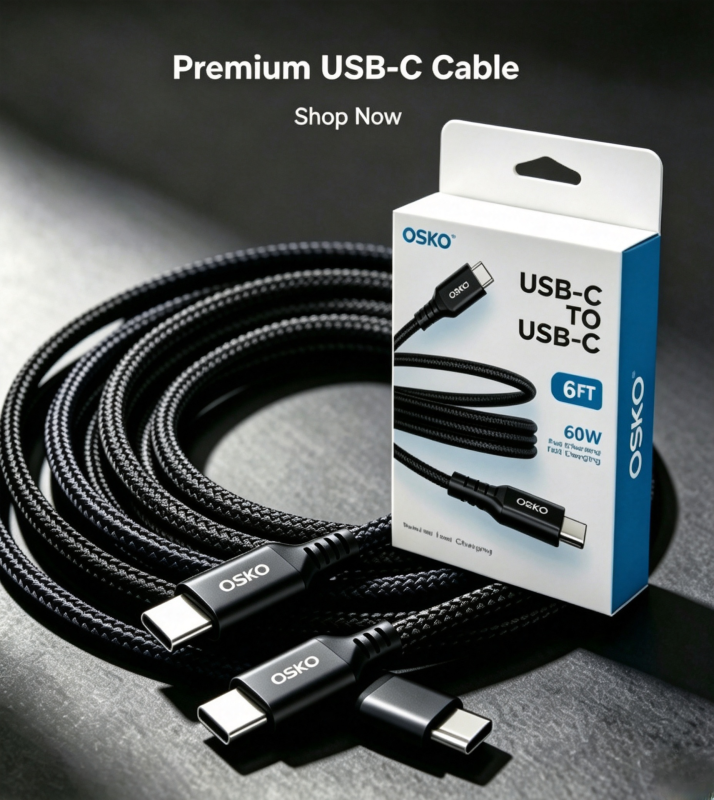
A USB Type C to Type C cable is a modern USB-C charging and data cable designed with USB-C connectors on both ends. It provides fast charging, reliable data transmission, and compatibility with smartphones, tablets, laptops, monitors, and other USB-C devices.
Compared with traditional USB-A cables, USB C to USB C cables offer higher power delivery capability, reversible connection, improved durability, and support for advanced technologies such as USB Power Delivery (USB PD).
For electronics brands, distributors, and OEM buyers, selecting the right USB Type C to Type C cable manufacturer is essential because cable quality directly affects charging performance, device safety, and customer satisfaction.
What Is a USB Type C to Type C Cable?
A USB Type C to Type C cable is a cable with USB-C connectors on both ends.
Unlike older USB cables, USB-C connectors are:
Reversible
Symmetrical
Compact
Capable of higher power transmission
Designed for high-speed data communication
A USB-C to USB-C cable can connect:
Smartphones
Tablets
MacBooks
Windows laptops
USB-C monitors
Docking stations
Power banks
Gaming devices
Common applications include:
Fast charging
Laptop power delivery
Data synchronization
Video transmission
Professional workstation setups
Why Are USB C to USB C Cables Becoming the Standard?
What Makes USB-C Better Than Older USB Cables?
USB Type-C was developed to replace previous USB connectors by providing improved performance and user convenience.
Traditional USB-A cables have limitations:
One-way insertion
Lower power capability
Limited data performance
USB-C cables provide:
Reversible Connector Design
Users can insert the cable in either direction without checking orientation.
Higher Charging Capability
USB-C supports advanced charging standards including:
USB PD 3.0
USB PD 3.1
PPS charging
Faster Data Transfer
Depending on specification, USB-C cables support:
USB 2.0: 480Mbps
USB 3.2 Gen 1: 5Gbps
USB 3.2 Gen 2: 10Gbps
USB4: Up to 40Gbps

What Devices Use USB Type C to Type C Cables?
USB-C to USB-C cables are widely used across consumer electronics and commercial applications.
Compatible devices include:
Smartphones
Examples:
Samsung Galaxy series
Google Pixel series
Android USB-C phones
Laptops
Examples:
MacBook Air
MacBook Pro
Dell XPS
Lenovo ThinkPad
HP laptops
Tablets
Examples:
iPad Pro
Android tablets
Accessories
USB-C hubs
Portable SSD drives
Monitors
Docking stations
Gaming accessories
How Does a USB C to USB C Cable Support Fast Charging?
What Is USB PD Fast Charging?
USB Power Delivery (USB PD) is a charging protocol that allows devices and chargers to communicate and negotiate the correct power level.
A USB-C PD cable can support:
| Cable Type | Power Capability | Application |
|---|---|---|
| Standard USB-C Cable | 15W-30W | Phones and tablets |
| 60W USB-C PD Cable | 20V/3A | Tablets and laptops |
| 100W USB-C PD Cable | 20V/5A | Professional laptops |
| 240W USB-C PD Cable | USB PD 3.1 EPR | High-power devices |
A 60W USB C to USB C cable is commonly used for:
MacBook Air charging
iPad Pro charging
Samsung fast charging
Laptop accessories
Why Does an E-Marker Chip Matter in USB-C PD Cables?
High-power USB-C cables often include an E-Marker smart chip.
The E-Marker communicates:
Maximum current capability
Cable power rating
USB specification
Manufacturer information
For example:
A normal USB-C cable:
Supports up to 3A
A USB-C PD cable with E-Marker:
Supports 5A current
Enables 100W or higher charging
For OEM buyers, E-Marker programming is an important quality factor when sourcing premium USB-C charging cables.
USB 3.0 Type C to Type C Cable Data Transfer Performance
How Fast Can USB-C Cables Transfer Data?
Not all USB-C cables have the same data speed.
A cable may support:
| USB Standard | Maximum Speed | Application |
|---|---|---|
| USB 2.0 | 480Mbps | Charging and basic sync |
| USB 3.0 | 5Gbps | External storage |
| USB 3.2 Gen 2 | 10Gbps | Professional data transfer |
| USB4 | 40Gbps | High-performance devices |
For users transferring:
4K videos
Large design files
Backup data
Professional media files
a high-speed USB 3.0 or USB4 cable is recommended.
Why Are Some USB C Cables Thicker Than Others?
Does Cable Thickness Affect Quality?
Yes.
A thicker USB-C cable usually contains:
Larger copper conductors
More shielding layers
Better insulation
Stronger mechanical protection
Important construction factors include:
Copper Conductor Size
AWG (American Wire Gauge) determines wire thickness.
Common USB-C cable specifications:
| Application | AWG |
|---|---|
| Basic charging cable | 28AWG |
| Fast charging cable | 24-26AWG |
| 60W PD cable | 22-24AWG |
| 100W+ PD cable | 20-22AWG |
Lower AWG numbers mean thicker conductors.
Thicker copper helps reduce:
Voltage drop
Heat generation
Charging instability
What Materials Are Used in High-Quality USB-C Cables?
Professional USB-C cable manufacturers typically use:
Pure Copper Conductors
Advantages:
Better conductivity
Lower resistance
Stable charging
Longer lifespan
Shielding Layers
Premium USB-C cables may include:
Aluminum foil shielding
Braided copper shielding
Twisted signal pairs
Benefits:
Reduced EMI interference
Better signal stability
Improved high-speed transmission
Outer Jacket Materials
Common materials:
PVC
Cost-effective
Flexible
TPE
Soft touch
Durable
Nylon Braided
Premium appearance
Better abrasion resistance
Why Choose Nylon Braided USB-C Cables?
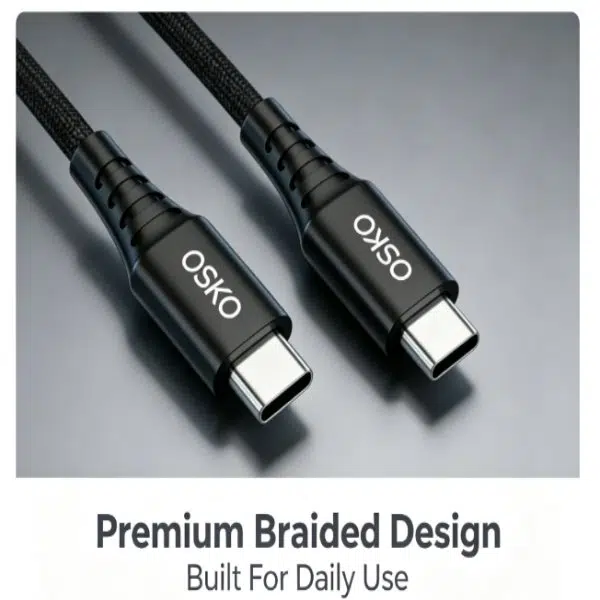
For consumer brands and retailers, braided USB-C cables are popular because they provide:
Premium appearance
Improved durability
Better market value
Reduced cable tangling
Common customization options:
Cable color
Logo printing
Length
Packaging
Connector design
How Are Professional USB C Cables Manufactured?
Quality Control in USB Cable Factory Production
A reliable USB C cable manufacturer should follow strict production procedures.
Important quality systems include:
ISO9001 Quality Management
ISO9001 controls:
Supplier management
Material inspection
Production processes
Product traceability
Final inspection
Professional factories usually operate:
IQC
Incoming Quality Control
Checks:
Copper materials
Connector components
Raw materials
IPQC
Production Quality Control
Monitors:
Assembly process
Solder quality
Cable structure
OQC
Outgoing Quality Control
Tests:
Charging performance
Data transmission
Appearance quality
What Solder Technology Is Used in USB-C Cable Production?
Professional manufacturers use lead-free solder technology.
Common solder material:
SAC305
Composition:
Tin 96.5%
Silver 3.0%
Copper 0.5%
Advantages:
RoHS compliant
Strong solder joints
Stable electrical performance
Proper solder control improves:
Connector reliability
Electrical connection
Product lifespan
What Certifications Should USB-C Cable Buyers Request?
For international B2B purchasing, buyers should request:
| Certification | Purpose |
|---|---|
| ISO9001 | Quality management |
| RoHS | Environmental compliance |
| REACH | Chemical compliance |
| UL Certification | Safety requirements |
| USB-IF Testing | USB specification verification |
Additional testing:
Charging test
Resistance test
Bending test
Pull-force test
Connector durability test
How Should Businesses Choose a USB Type C Cable Supplier?
Before purchasing bulk USB-C cables, buyers should ask:
Technical Questions
What USB versions are supported?
Does the cable support USB PD?
Is E-Marker included?
What AWG size is used?
Manufacturing Questions
Is the factory ISO9001 certified?
Are cables 100% tested?
Can OEM customization be provided?
Quality Questions
Are pure copper conductors used?
Are test reports available?
What is the production failure rate?
Why Work With an OEM USB-C Cable Manufacturer?
Buying directly from an experienced factory provides:
Cost Advantages
Better bulk pricing
Stable supply chain
Reduced middle costs
Customization
OEM services include:
Custom logo
Private label packaging
Cable design modification
Special lengths
Quality Control
Professional factories provide:
Engineering support
Production testing
Consistent quality
Conclusion: Choosing the Right USB Type C to Type C Cable
A USB Type C to Type C cable is more than a simple charging accessory. Its real performance depends on:
USB specification
Power capability
Copper conductor quality
AWG size
E-Marker support
Manufacturing standards
For consumers, choosing the correct USB-C cable ensures faster charging and reliable performance.
For brands and distributors, selecting an experienced USB C cable manufacturer helps reduce product returns and build long-term customer trust.
A high-quality USB-C PD cable supplier should provide reliable engineering, strict quality control, and flexible OEM manufacturing solutions.
FAQ About USB Type C to Type C Cable
1. What is a USB Type C to Type C cable used for?
A USB-C to USB-C cable is used for charging, data transfer, and connecting modern USB-C devices such as laptops, smartphones, tablets, and monitors.
2. Is USB-C to USB-C faster than USB-A to USB-C?
Yes. USB-C to USB-C cables generally support higher charging power and faster data speeds compared with traditional USB-A cables.
3. Does every USB-C cable support fast charging?
No. Fast charging requires proper conductor size, USB PD support, and compatible chargers.
4. What is the best USB-C cable for laptop charging?
For laptops, a USB-C PD cable supporting 60W, 100W, or higher power is recommended depending on device requirements.
5. Can I customize USB-C cables with my brand?
Yes. Professional USB-C cable manufacturers provide OEM and private label customization including logo, color, length, and packaging.
