















Introduction
When your iPhone charging cable is not working, it can quickly become an inconvenient problem. A cable that suddenly stops charging, disconnects repeatedly, or charges slower than usual can interrupt work, travel, communication, and daily activities.
Many users immediately assume the iPhone battery or charging port is damaged. However, in many cases, the problem comes from the charging cable itself.
Charging cables experience constant physical stress every day. They are bent, twisted, pulled, packed into bags, and connected thousands of times throughout their lifespan. Over time, internal wires, connectors, and protective layers can weaken.
With the latest iPhone models adopting USB-C charging, users now have more choices than ever. However, not every USB-C cable for iPhone provides the same charging performance, durability, or safety.
This guide explains:
Why your iPhone charging cable stops working
How to troubleshoot common charging problems
When to replace your cable
How to choose a reliable fast charging cable for iPhone
What features matter when buying a durable charging cable

Common Reasons Why iPhone Charging Cable Is Not Working
1. Physical Damage and Daily Wear
One of the most common reasons for an iPhone cable not charging properly is physical damage.
Charging cables usually fail near the connector because this area experiences repeated bending and pulling. Every time users plug in or remove the cable, stress is concentrated around the connection point.
Common signs of cable damage include:
Frayed outer insulation
Visible wires
Bent connectors
Loose connection
Charging stopping when the cable moves
Low-quality cables often fail faster because they use weaker materials and limited protection around stress points.
For users who charge their phones multiple times per day, choosing a reinforced cable with braided nylon protection can significantly improve lifespan.
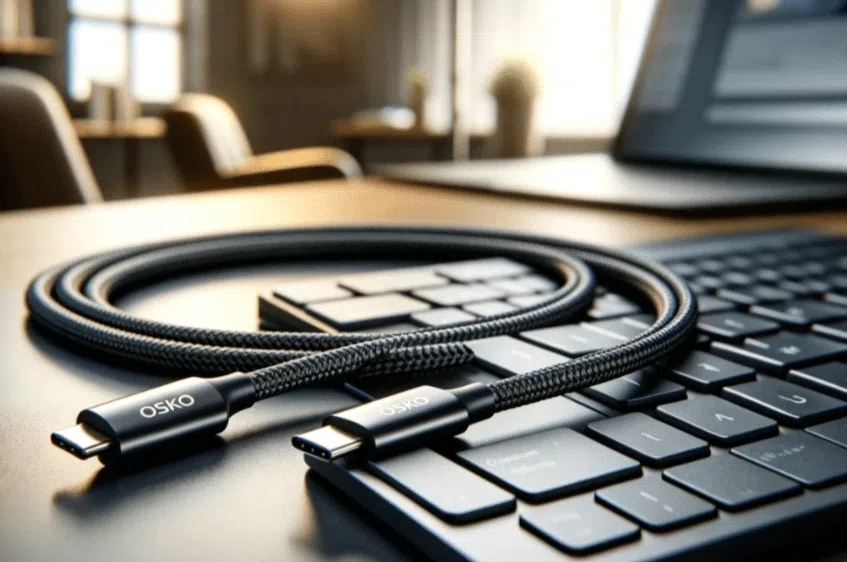
A high-quality braided USB-C cable is designed to handle repeated bending, daily movement, and long-term use.
2. Dirty iPhone Charging Port or Cable Connector
Sometimes the cable is not the problem.
Dust, pocket lint, and debris can accumulate inside the iPhone charging port. This prevents the connector from making a stable electrical connection.
Typical symptoms include:
iPhone charges only at certain angles
Charging starts and stops randomly
Cable feels loose inside the port
Slow charging performance
Solution:
Before replacing your cable:
- Turn off your iPhone.
- Carefully inspect the charging port.
- Remove visible dust using a soft brush or compressed air.
- Clean the cable connector with a dry microfiber cloth.
Avoid using sharp metal objects because they may damage internal components.
3. Non-Certified or Poor Quality Charging Cable
Not all charging cables are created equally.
Many inexpensive cables may physically fit an iPhone but fail to provide stable charging performance.
Poor-quality cables can cause:
Slow charging
Connection interruptions
Compatibility issues after iOS updates
Overheating problems
For Lightning devices, choosing an MFi certified Lightning cable ensures the cable meets Apple’s requirements for compatibility and safety.
For newer iPhone models, users should select a reliable USB-C charging cable for iPhone that supports appropriate power delivery standards.
A certified cable is not only about charging speed. It also protects the device from unstable voltage and unnecessary battery stress.
4. Faulty Charger or Power Source
Sometimes the charging cable works perfectly, but the power source causes the issue.
Common problems include:
Damaged wall adapters
Low-power USB ports
Poor-quality chargers
Unstable power banks
For fast charging, iPhone users should combine:
A compatible USB-C power adapter
A quality USB-C cable
A supported iPhone model
Using a powerful charger with a low-quality cable will not always improve charging speed.
The cable must also support the required power delivery capability.
5. iPhone Software Problems
Although charging problems are usually hardware-related, software can sometimes affect charging behavior.
Possible software-related symptoms:
iPhone does not recognize the cable
Charging starts after restarting
Charging pauses unexpectedly
Apple includes battery protection features such as Optimized Battery Charging, which may temporarily slow charging to protect battery lifespan.
Solutions:
Try:
Restarting your iPhone
Updating iOS
Checking battery settings
Go to:
Settings → General → Software Update
Keeping iOS updated helps maintain compatibility with charging accessories.
6. Aging iPhone Battery
A damaged or aging battery can make users think the charging cable is broken.
Signs include:
Battery percentage increases slowly
Battery drains quickly after charging
iPhone shuts down unexpectedly
Check battery condition:
Settings → Battery → Battery Health
If battery capacity is significantly reduced, replacing the battery may improve charging performance.
How to Choose the Best Charging Cable for iPhone
Choosing the right cable can prevent many charging problems before they happen.
Choose MFi Certified Lightning Cable
For older iPhone models using Lightning ports, MFi certification is an important quality indicator.
MFi-certified cables are tested for:
Compatibility
Safety
Charging stability
Data transfer performance
They are a safer alternative compared with unknown low-cost cables.
Choose USB-C Cable Designed for Modern iPhones
The iPhone ecosystem has moved toward USB-C.
Modern users need cables that support:
Fast charging
Reliable data transfer
Multiple Apple devices
Long-term durability
A quality USB-C to USB-C cable can support iPhones, iPads, MacBooks, and other USB-C devices with one universal connection.
This reduces the need for carrying multiple cables.
Consider Cable Material and Durability
Cable construction directly affects lifespan.
Important durability features include:
Braided Nylon Exterior
Braided nylon improves resistance against:
Friction
Bending
Daily pulling
Tangling
Reinforced Connector Design
The connector area is usually the weakest part of a charging cable.
Better cables use stronger strain relief structures to reduce internal wire damage.
Flexible Internal Structure
A good cable should remain flexible while maintaining protection.
Extremely stiff cables may become uncomfortable for everyday use.
OSKO Engineering Case Study: Designing a More Durable iPhone Charging Cable
A consumer electronics distributor in the US market contacted OSKO after receiving repeated complaints about damaged charging cables from customers.
Their main issue was not charging performance — it was replacement frequency.
Many customers reported:
Broken connectors after several months
Cable jackets cracking near plugs
Charging interruptions during daily use
From an engineering perspective, OSKO analyzed the failure points and improved the cable structure.
The solution included:
Reinforced connector stress protection
Durable braided nylon jacket
Improved internal wire arrangement
Stable power transmission design
After testing, the upgraded cable design achieved improved bending resistance and better performance for daily charging environments.
For retailers and distributors, cable durability is not only a product feature — it directly affects customer satisfaction, return rates, and brand reputation.
This is why professional cable manufacturers focus on material selection, structural design, and production testing.
Recommended iPhone Charging Cable Solution
For users who need reliable daily charging, OSKO USB-C cable solutions provide:
Fast charging support
Durable braided construction
Stable power delivery
Long-term daily performance
Compatibility with smartphones, tablets, and laptops
For businesses requiring customized solutions, OSKO also provides OEM and ODM charging cable manufacturing services, including:
Custom cable length
Logo printing
Packaging customization
Connector design
Bulk production
How to Prevent iPhone Charging Cable Damage
Simple habits can extend cable lifespan.
Avoid Pulling the Cable Directly
Always remove the connector instead of pulling the cable body.
Avoid Sharp Bending
Do not create tight loops near the connector.
Keep Ports Clean
Regular cleaning prevents connection problems.
Store Properly During Travel
Use loose cable loops instead of folding tightly.
Choose Quality Materials
A better-designed cable reduces replacement frequency.
Summary
An iPhone charging cable not working problem can come from many causes, including physical damage, dirty ports, incompatible accessories, charger issues, software problems, or battery aging.
Before replacing your iPhone, check the cable condition, charging port, and power source.
When buying a replacement cable, focus on:
MFi certification for Lightning cables
USB-C compatibility for newer iPhones
Fast charging support
Durable braided materials
Reliable manufacturing quality
A charging cable may look like a simple accessory, but it plays an important role in charging speed, safety, and everyday device reliability.
Choosing a well-designed cable helps ensure your iPhone stays powered whenever you need it.
FAQ
Why is my iPhone charging cable not working but the cable looks fine?
A cable can have internal damage even when the outside looks normal. Try testing with another charger, cleaning the charging port, and checking whether the cable connection is stable.
Why does my iPhone cable keep connecting and disconnecting?
This usually happens because of damaged connectors, debris inside the charging port, or poor-quality cables that cannot maintain a stable connection.
Can a bad charging cable damage my iPhone battery?
A low-quality cable with unstable power output may create charging problems and increase safety risks. Using certified charging accessories is recommended.
Is USB-C better than Lightning for iPhone charging?
USB-C provides faster charging options, higher power capability, and wider compatibility with modern devices such as iPads and MacBooks.
How long should an iPhone charging cable last?
A high-quality charging cable can last several years depending on usage. Frequent bending, pulling, and poor storage habits can shorten its lifespan.
What is the best cable for fast charging iPhone?
A good fast charging cable should support USB Power Delivery, match your iPhone model, and use durable materials such as reinforced braided nylon.
Why does my iPhone charge slowly with a new cable?
Slow charging may be caused by a low-power charger, unsupported cable specifications, battery condition, or background device activity.
