















Introduction: Understanding Different Data Cable Types
Choosing the right data cable type is essential for modern electronic devices. Whether you need to charge a smartphone, transfer files from a laptop, connect external storage, or power professional equipment, the cable you choose directly affects charging speed, data transfer performance, and device compatibility.
Many users search for questions like “What type of USB cable do I need?”, “Which data cable is best for fast charging?”, or “What is the difference between USB-C and USB-A cables?” because today’s devices use different connectors and technical standards.
From smartphones and tablets to laptops, gaming consoles, cameras, and industrial equipment, USB cables have evolved significantly. Traditional USB-A cables are still widely used, while USB-C cables have become the preferred solution for new-generation electronics due to their reversible design, higher power delivery, and faster data transfer capabilities.
For consumers, choosing the wrong cable may result in slow charging, unstable connections, or failed data transfer. For businesses and engineering buyers, selecting a reliable USB cable supplier is even more important because cable quality directly affects product performance and customer satisfaction.
This guide explains the most common types of data cables, their applications, technical differences, and how to select the right cable for different devices.
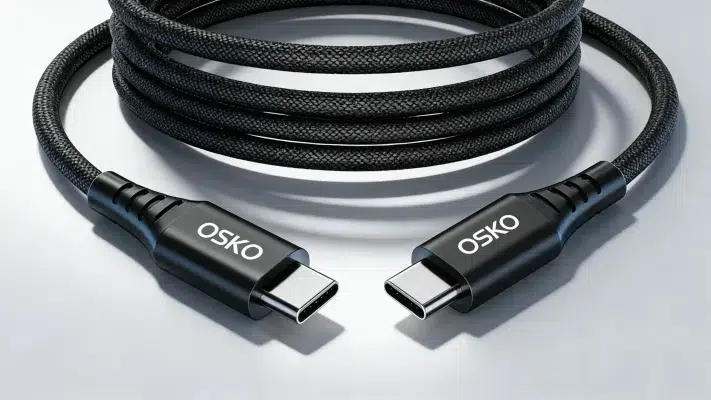
What Is a Data Cable?
A data cable is a cable designed to transmit digital information and electrical power between electronic devices.
Unlike charging-only cables, data cables contain additional internal wiring that allows communication between devices. This enables functions such as:
Smartphone data synchronization
File transfer between computers and external drives
Firmware updates
Device communication
Fast charging through USB Power Delivery (USB PD)
A high-quality USB data cable usually includes multiple internal components:
Power conductors for charging
Data transmission wires
Shielding layers to reduce electromagnetic interference
Reinforced connectors for durability
Protective outer jackets such as nylon braided or TPE materials
For example, an engineering buyer selecting a USB-C cable for commercial products must consider not only connector type but also charging wattage, data speed, connector reliability, and production consistency.
Common Types of Data Cables and Their Uses
USB-A Cable: The Traditional USB Standard
USB-A remains one of the most recognizable USB connector types worldwide.
The rectangular USB-A connector has been used for decades in:
Desktop computers
Laptop USB ports
Power adapters
Gaming consoles
Printers
External hard drives
Car charging systems
A typical USB-A cable may connect to different connectors, including:
USB-A to Micro USB
Advantages of USB-A Data Cables
USB-A cables remain popular because:
They are widely compatible
They work with older devices
They are affordable
Many computers and chargers still include USB-A ports
However, USB-A has limitations compared with modern USB-C technology:
Connector direction is not reversible
Lower maximum charging power
Limited future compatibility
For users connecting older devices, a USB-A to USB-C data cable is still a practical solution.
USB-C Data Cable: The Future Standard for Modern Devices
USB-C has become the dominant connector for new electronic products.
Today, USB-C is widely used in:
iPhone 15 and newer models
Android smartphones
MacBook laptops
Windows laptops
Tablets
Gaming devices
Portable monitors
A USB-C data cable provides several advantages:
Reversible Connector Design
Unlike USB-A, USB-C can be inserted in either direction, improving user convenience.
Higher Charging Power
USB-C supports USB Power Delivery technology, allowing cables to deliver higher charging power.
Depending on cable specifications, USB-C cables can support:
60W charging
100W charging
140W charging
Up to 240W USB PD charging
Faster Data Transfer
USB-C cables can support different USB standards:
USB 2.0: up to 480Mbps
USB 3.2: up to 20Gbps
USB4: up to 40Gbps
For example, a USB-C to USB-C 60W cable is ideal for smartphones, tablets, and lightweight laptops requiring fast charging and reliable data synchronization.
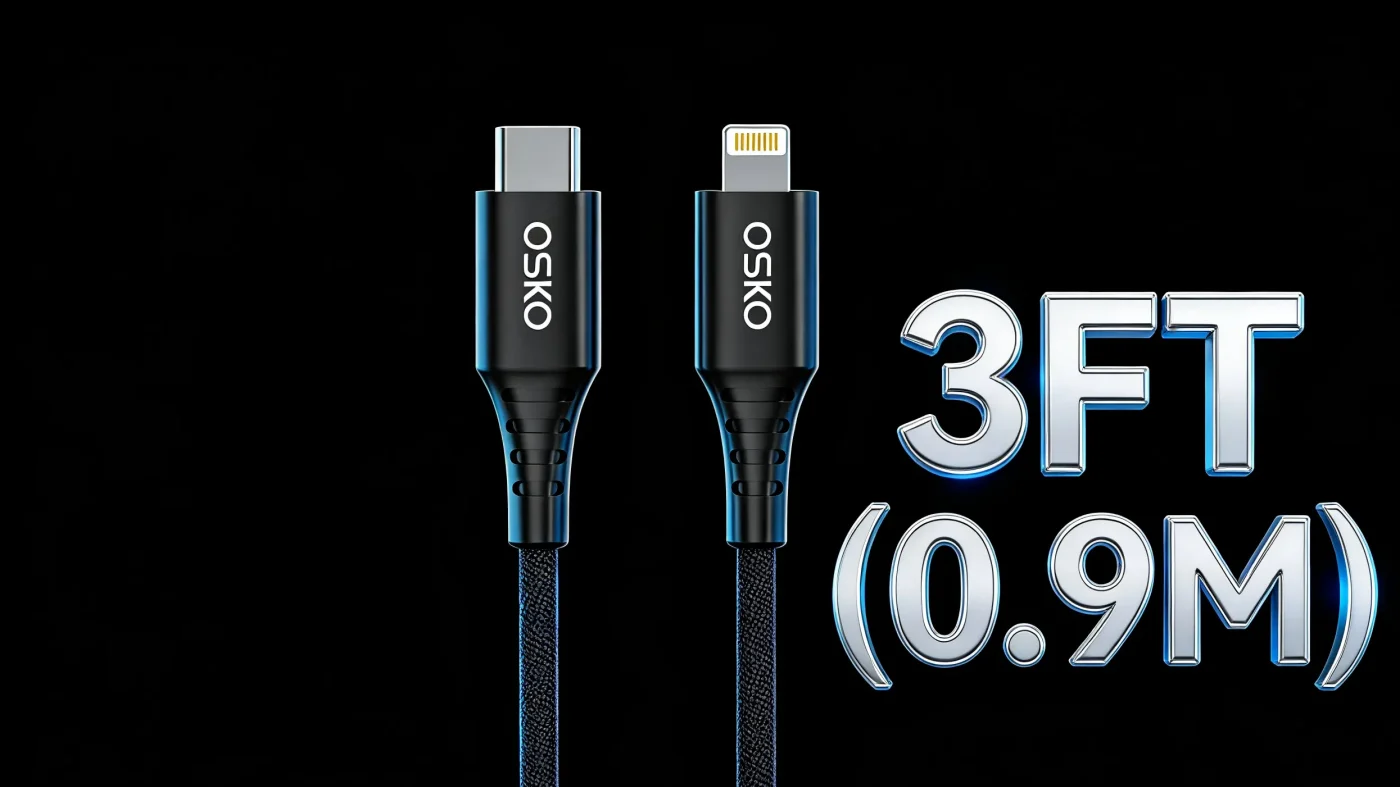
Lightning Cable: Apple Device Charging Solution
Lightning cables were developed by Apple and used for many generations of iPhone, iPad, and iPod products.
Common Lightning cable types include:
A certified USB-C to Lightning cable provides:
Fast charging support
Stable data synchronization
Compatibility with Apple devices
However, Apple has gradually transitioned to USB-C starting with iPhone 15 models, making USB-C the future direction of Apple connectivity.
For businesses selling Apple accessories, MFi certification remains an important consideration when manufacturing Lightning cables.
Micro USB Cable: Older but Still Widely Used
Micro USB cables were once the standard connector for Android phones and portable electronics.
They are still commonly found in:
Bluetooth speakers
Cameras
Power banks
Older tablets
Electronic accessories
Typical specifications:
Charging power: up to 15W
Data transfer: up to 480Mbps
Although Micro USB has been replaced by USB-C in many applications, demand still exists in replacement markets and specific electronic products.
Mini USB Cable
Mini USB was commonly used before Micro USB became popular.
Applications included:
Digital cameras
MP3 players
GPS devices
Older external storage devices
Today, Mini USB is considered an older standard and has largely been replaced by Micro USB and USB-C.
Thunderbolt Cable: Professional High-Speed Data Solution
Thunderbolt cables use the USB-C connector design but provide enhanced performance.
They are mainly used for:
Professional monitors
External SSD storage
Video production equipment
High-performance laptops
Thunderbolt supports:
Up to 40Gbps data transfer
External display connectivity
High-power charging
For creative professionals working with large video files, Thunderbolt provides significantly higher performance than standard USB cables.
How to Choose the Best Data Cable for Your Device?
Choosing the correct cable requires evaluating several factors.
1. Check Connector Compatibility
First identify your device port:
USB-C port → USB-C cable
Lightning port → Lightning cable
Older Android device → Micro USB cable
Computer USB port → USB-A cable
A cable must physically match your device connection.
2. Check Charging Power Requirements
Different devices require different charging capabilities.
Examples:
Smartphones: 18W–60W
Tablets: 30W–60W
Laptops: 65W–140W
Using an insufficient cable may cause slow charging.
For fast charging devices, choose cables supporting:
USB PD
E-Marker chip technology
High current capability
3. Consider Data Transfer Speed
If you frequently transfer files, choose a cable based on speed requirements.
Examples:
Basic synchronization: 480Mbps USB 2.0
External storage: USB 3.0 or higher
Professional workflow: USB4 or Thunderbolt
4. Choose Durable Cable Construction
Cable durability is important for daily users and commercial buyers.
Premium cables usually feature:
Nylon braided jackets
Reinforced connectors
Multiple shielding layers
Flexible stress protection
OSKO develops USB cables with engineering-focused designs, including reinforced structures and tested bending resistance for long-term reliability.

Engineering Case Study: Custom USB-C Cable Solution for Retail Electronics Brand
A European electronics distributor approached OSKO to develop a customized USB-C charging cable for smartphone accessories.
Their requirements included:
USB-C to USB-C connection
60W fast charging support
1.5-meter length
Retail packaging
Stable performance for European markets
During product development, OSKO engineers optimized:
Cable conductor size
Shielding structure
Connector reinforcement
Braided nylon material selection
The final solution achieved stable charging performance and improved customer feedback after market launch.
This case demonstrates why choosing an experienced OEM USB cable manufacturer is important for companies requiring consistent quality and scalable production.
How to Maintain Your Data Cables Longer
To extend cable lifespan:
Avoid sharp bending near connectors
Do not pull cables by the wire
Keep connectors clean
Store cables properly
Avoid moisture exposure
Use cables with reinforced stress points
A quality cable combined with proper usage can significantly reduce replacement costs.
Conclusion: Choosing the Right Data Cable Type Matters
Understanding different data cable types helps users make better purchasing decisions.
USB-A remains useful for older devices, while USB-C has become the preferred choice for modern smartphones, laptops, and professional equipment.
When selecting a cable, consider:
Connector compatibility
Charging power
Data transfer speed
Cable durability
Manufacturer reliability
For consumers, the right cable provides faster charging and stable connections. For businesses, working with a professional USB cable manufacturer ensures consistent quality, customization options, and long-term supply stability.
FAQ
What is the difference between a charging cable and a data cable?
A charging cable is mainly designed to deliver power, while a data cable can transfer both power and digital information. Some modern USB cables support both charging and data transfer, but low-quality charging cables may only contain power wires.
Which type of USB cable is best for fast charging?
USB-C cables are generally the best choice for fast charging because they support USB Power Delivery technology and higher wattage charging. A USB-C cable with proper specifications can charge smartphones, tablets, and laptops efficiently.
Are all USB-C cables the same?
No. USB-C only describes the connector shape. Different USB-C cables support different charging power levels and data speeds. Some support 60W charging and 480Mbps data transfer, while advanced cables support 240W charging and USB4 speeds.
Can a USB-C cable transfer data?
Yes. Most quality USB-C cables support data transfer, but some inexpensive cables are charging-only cables. Always check product specifications before purchasing.
What USB cable does iPhone use?
iPhone models before iPhone 15 use Lightning cables, while iPhone 15 and newer models use USB-C cables for charging and data transfer.
How do I know if my USB cable supports fast charging?
Check the cable specifications for charging power, USB PD compatibility, and current rating. Reliable manufacturers usually provide detailed technical information about wattage and performance.
What is the best USB cable for laptop charging?
For laptops, choose USB-C cables supporting at least 60W or higher depending on the laptop power requirement. Professional laptops may require 100W or 140W USB-C PD cables.
Where can I buy reliable OEM USB cables for business?
Businesses should work with experienced USB cable manufacturers that provide OEM/ODM services, quality control, customized lengths, packaging options, and certification support.
Contact OSKO for OEM/ODM USB Cable Manufacturing Solutions
OSKO provides professional USB cable manufacturing services for global brands, distributors, and electronics companies.
Products include:
USB-A cables
Custom braided charging cables
OEM/ODM cable solutions
With engineering expertise and production capability, OSKO helps partners develop reliable cable products for global markets.
