















Introduction: Are All USB-C Cables the Same for Charging?
With USB-C becoming the standard connector for smartphones, laptops, tablets, and professional electronics, many users believe that all USB-C cables should provide the same charging performance.
However, the answer to “Are all USB-C cables the same for charging?” is no.
Although USB-C describes the connector shape, it does not define the cable’s complete performance. Different USB-C cables can have significant differences in:
Charging power capability
Data transfer speed
Internal wire structure
Cable length
Material quality
USB Power Delivery (USB PD) support
For example, a basic USB-C cable may only support 60W charging, while an advanced 240W USB-C cable can power high-performance laptops. Some USB-C cables support only charging, while others can transfer high-speed data or output video signals.
For consumers in the US, Germany, Australia, and the Netherlands, choosing the correct USB-C charging cable can improve charging speed, reduce compatibility problems, and extend device lifespan.
For electronics brands and distributors, selecting a reliable OEM USB-C cable manufacturer is essential because cable quality directly affects product reliability and customer experience.
This guide explains why USB-C cables are different and how to choose the right one for your device.
What Is USB-C?
USB-C, also known as USB Type-C, is a modern connector standard developed by the USB Implementers Forum (USB-IF).
Unlike older USB-A connectors, USB-C features a reversible design, allowing users to insert the cable in either direction.
A USB-C connection can support multiple functions:
Device charging
Data transfer
External display output
Docking station connectivity
One of the biggest advantages of USB-C is its support for USB Power Delivery technology.
Depending on cable design and certification, USB-C cables can support power levels from:
15W
30W
60W
100W
140W
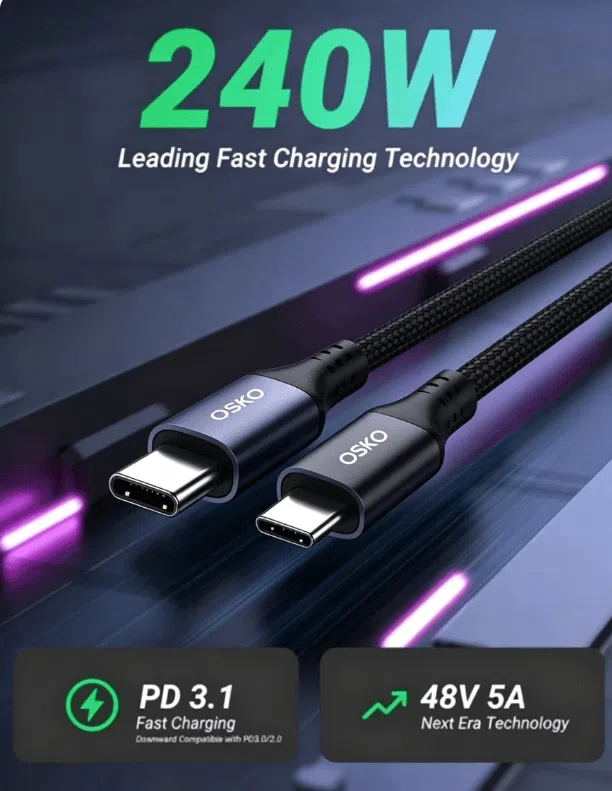
Up to 240W
This makes USB-C suitable for everything from smartphones to professional laptops.
Why Are USB-C Cables Different?
Many people think buying any USB-C cable will provide the same charging experience. However, USB-C cables vary based on internal design and technical specifications.
The main differences include:
1. Charging Power Capability
The most important difference between USB-C cables is how much power they can safely deliver.
A low-power USB-C cable may support:
Smartphones
Wireless earbuds
Small accessories
A high-power USB-C PD cable can support:
MacBook charging
Gaming laptops
Portable monitors
Professional devices
For example:
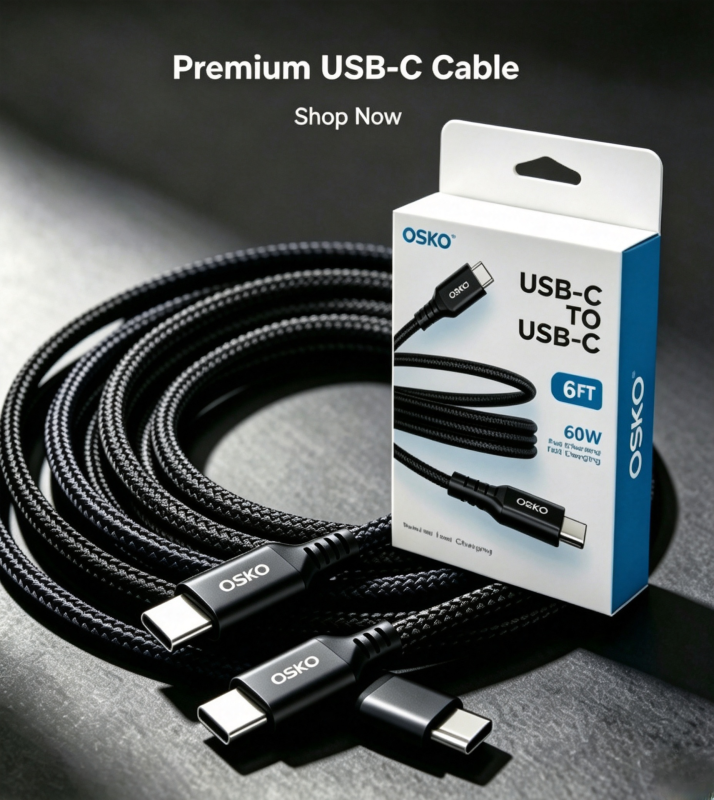
60W USB-C Cable
A 60W USB-C cable is commonly used for:
iPhone USB-C charging
Android smartphones
iPad devices
Lightweight laptops
100W USB-C Cable
A 100W USB-C cable is suitable for:
MacBook Pro models
Business laptops
High-performance tablets
240W USB-C Cable
A 240W USB-C cable supports the latest USB PD 3.1 standard and is designed for:
Gaming laptops
Professional workstations
High-power electronic devices
Using a cable with insufficient power rating may result in slow charging or failure to charge larger devices.
Different Types of USB-C Cables
USB-C 2.0 Cable
USB-C 2.0 cables are basic USB-C cables designed for everyday charging and simple data transfer.
Typical specifications:
Data speed: up to 480Mbps
Charging capability: commonly up to 60W
Applications include:
Smartphone charging
Tablet synchronization
Basic accessories
These cables are affordable and suitable for users who do not need high-speed data transfer.
USB-C 3.0 / USB 3.2 Cable
USB-C cables supporting USB 3.0 or USB 3.2 provide faster data transfer.
Typical performance:
USB 3.0: up to 5Gbps
USB 3.2: up to 20Gbps
They are suitable for:
External SSD drives
Large file transfers
Professional workflows
For users transferring videos, photos, or large business files, choosing a high-speed USB-C data cable is recommended.
USB4 USB-C Cable
USB4 represents the next generation of USB-C technology.
Features include:
Up to 40Gbps data transfer
Support for external displays
Compatibility with Thunderbolt technology
USB PD charging support
USB4 cables are commonly used by professionals who need maximum performance.
Thunderbolt USB-C Cable
Thunderbolt cables use the same USB-C connector but provide advanced performance.
They support:
Up to 40Gbps or higher speeds depending on generation
High-resolution displays
Professional storage systems
High-power charging
For video editors, designers, and engineers, Thunderbolt cables provide a premium connectivity solution.
Factors That Affect USB-C Charging Performance
Cable Wire Gauge
Wire thickness directly affects charging efficiency.
A thicker internal conductor reduces resistance and allows higher current transmission.
High-quality fast charging cables usually use:
Larger copper conductors
Better insulation materials
Improved heat management
Poor-quality cables may experience:
Voltage drop
Slow charging
Excessive heat
Cable Length
Cable length also affects charging performance.
Longer cables create more electrical resistance, which may reduce charging efficiency.
For example:
1 meter USB-C cable → better efficiency
2 meter or 3 meter USB-C cable → requires better internal design
For laptop charging, choosing a properly engineered long USB-C cable is important.
E-Marker Chip Technology
High-power USB-C cables often include an E-Marker chip.
The chip communicates with the charger and device to identify:
Maximum supported power
Current capability
Cable specifications
For example, USB-C cables supporting more than 60W charging typically require intelligent identification technology.
Device and Charger Compatibility
Charging performance depends on three components:
- USB-C cable
- Charger
- Device
All three must support compatible standards.
For example:
A 100W charger + 60W cable + laptop requiring 100W
= charging speed limited by the cable.
Choosing the correct combination ensures maximum performance.
How to Choose the Best USB-C Cable for Charging?
When selecting a USB-C cable, consider the following factors.
Check Your Device Power Requirement
Different devices require different charging levels.
Examples:
Phone → 20W–60W
Tablet → 30W–60W
Laptop → 65W–140W
Choose a cable that matches your device requirements.
Choose USB PD Compatible Cables
For modern devices, USB Power Delivery compatibility is essential.
A USB-C PD cable provides:
Faster charging
Better safety
Improved power management
Select Durable Cable Materials
For daily use, durability is critical.
Premium USB-C cables often use:
Nylon braided jackets
Reinforced connectors
Stress-resistant designs
Multi-layer shielding
These features improve lifespan and reliability.
Engineering Case Study: Custom 100W USB-C Cable Development for European Laptop Brand
A European electronics distributor supplying Germany and the Netherlands contacted OSKO for a customized USB-C charging cable solution.
Their requirements included:
USB-C to USB-C connection
100W Power Delivery support
2-meter length
Retail packaging
Long-term durability for business users
OSKO engineering team optimized:
Copper conductor size
E-Marker chip integration
Connector structure
Braided nylon material
After testing, the customized cable delivered stable laptop charging performance and passed durability evaluations.
This project demonstrated the importance of working with an experienced USB-C cable manufacturer that understands both electrical performance and market requirements.
Conclusion: Not All USB-C Cables Are the Same
The answer to “Are all USB-C cables the same for charging?” is clearly no.
USB-C cables may look identical externally, but their internal technology can be completely different.
The main differences include:
Charging wattage
Data speed
Cable structure
Material quality
Safety technology
For smartphones, a reliable 60W USB-C cable may be enough. For laptops and professional devices, higher-power USB-C PD cables are recommended.
Choosing the right cable ensures faster charging, better performance, and longer product life.
For businesses searching for customized solutions, working with a professional OEM USB-C cable supplier helps guarantee consistent quality and reliable supply.
FAQ
Are all USB-C cables the same for charging?
No. USB-C cables use the same connector design, but they can have different charging capabilities, data speeds, and internal structures. Some cables support only basic charging, while others support fast charging up to 240W.
Can any USB-C cable fast charge my phone?
Not necessarily. Fast charging requires a USB-C cable that supports the correct power rating and charging standard, such as USB Power Delivery. A low-quality or low-power cable may limit charging speed.
What is the difference between a 60W and 100W USB-C cable?
A 60W USB-C cable is suitable for smartphones, tablets, and lightweight laptops. A 100W USB-C cable is designed for higher-power laptops and devices that require more energy.
Do longer USB-C cables charge slower?
Longer cables can experience more resistance, which may reduce charging efficiency. High-quality long USB-C cables use better conductors and design structures to maintain stable charging performance.
How do I know if my USB-C cable supports fast charging?
Check the cable specifications for power rating, USB PD support, and current capability. Reliable manufacturers usually indicate whether the cable supports 60W, 100W, or 240W charging.
Are expensive USB-C cables better?
Price does not always determine quality, but premium USB-C cables usually use better materials, stronger connectors, and improved safety features. For high-power charging, cable quality becomes especially important.
Can a USB-C cable charge a laptop?
Yes. Many USB-C cables support laptop charging when paired with a compatible USB-C PD charger. However, the cable must support the required wattage of the laptop.
What is the best USB-C cable for MacBook charging?
For MacBook charging, choose a USB-C PD cable that matches your MacBook power requirement. Many users choose 60W, 100W, or higher-rated USB-C cables depending on their model.
Why does my USB-C cable charge slowly?
Slow charging may happen because of a low-power cable, incompatible charger, damaged cable, poor-quality materials, or a device limitation.
Contact OSKO for OEM USB-C Cable Solutions
OSKO specializes in manufacturing:
60W / 100W / 240W USB-C PD cables
Braided charging cables
With professional engineering, production capability, and quality control systems, OSKO helps global brands develop reliable charging solutions for consumer electronics markets.
