














Introduction
A clean desk is more than just visually appealing. A well-organized workspace can improve productivity, reduce distractions, and create a more comfortable environment for work and creativity.
However, even the most stylish minimalist desk setup can quickly become messy because of tangled charging cables, monitor wires, power cords, and USB accessories. With modern workplaces using multiple devices such as laptops, monitors, smartphones, tablets, and docking stations, effective desk cable management has become an essential part of creating a professional workspace.
Many users search for solutions like:
How to organize cables on a desk?
How do I hide cables for a minimalist desk setup?
What are the best cable management solutions for home office?
The good news is that cable clutter does not require expensive equipment or complicated installation. With the right planning, simple tools, and suitable cables, anyone can create a cleaner and more efficient workspace.
This guide shares 15 practical cable management ideas to help organize charging cables, USB-C cables, power cords, and computer accessories while maintaining a modern minimalist desk style.

Why Cable Management Matters for a Minimalist Desk Setup
Before organizing cables, it is important to understand why cable management improves your workspace.
1. Creates a Cleaner Appearance
Loose cables hanging behind your desk create visual noise. Organizing cables helps maintain the simple and clean appearance that defines a minimalist desk setup.
A well-managed workspace looks more professional, especially for:
Home offices
Gaming setups
Content creation studios
Business environments
2. Improves Productivity
A clutter-free desk reduces distractions.
When every cable has a dedicated location, you can quickly identify:
Laptop charging cable
Monitor cable
USB-C charging cable
Data cable
Audio cable
This saves time and makes daily work more efficient.
3. Protects Your Cables
Poor cable organization can shorten cable lifespan.
Common causes of cable damage include:
Sharp bending near connectors
Constant pulling
Cable twisting
Floor friction
Proper cable management helps protect your investment and improves long-term reliability.
15 Cable Management Ideas for a Minimalist Desk Setup
1. Create a Cable Management Plan Before Installation
The first step is planning.
Before attaching clips or buying accessories, check:
Where your computer or laptop is positioned
Where power outlets are located
Which devices need frequent access
Which cables can remain hidden
Separate cables into categories:
Power cables
Data cables
Charging cables
Audio cables
A clear plan prevents unnecessary adjustments later.
2. Hide Cables Under the Desk
The area under your desk is usually the biggest source of cable clutter.
Use:
Under-desk cable trays
Cable baskets
Adhesive cable channels
Cable raceways
These solutions keep power strips and excess cable length hidden while leaving the desktop clean.
For standing desks, adjustable cable trays are especially useful because they move together with the desk height.
3. Use Cable Clips for Frequently Used Cables
Cable clips are one of the easiest cable management solutions.
They are ideal for:
USB-C charging cables
Phone charging cords
Earphone cables
Laptop cables
Attach clips near the edge of your desk so cables stay accessible instead of falling behind furniture.
4. Bundle Similar Cables Together
Instead of managing every cable separately, group cables that follow the same route.
For example:
A laptop setup may include:
USB-C charging cable
HDMI cable
USB accessories
Ethernet cable
Bundle them together using:
Velcro straps
Cable sleeves
Spiral wraps
This creates a cleaner appearance and reduces cable tangling.
5. Choose the Correct Cable Length
Cable length has a major impact on desk organization.
Too long:
Creates unnecessary loops
Collects dust
Looks messy
Too short:
Creates tension
Limits device placement
Choose cables based on your setup:
3ft USB-C cable: ideal for desktop charging
6ft USB-C cable: flexible for office desks
10ft USB-C cable: suitable for large workspaces
A high-quality cable available in multiple lengths makes workspace organization easier.
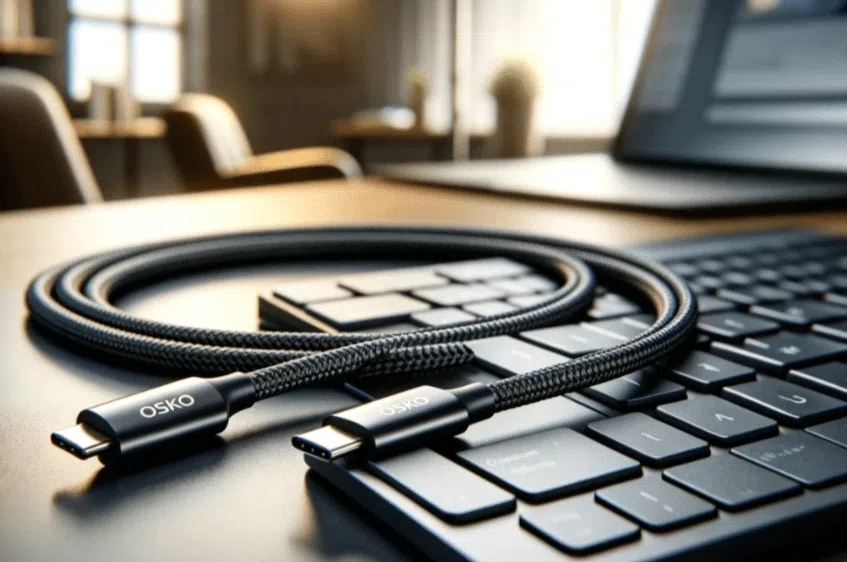
6. Use Braided USB-C Cables for Better Organization
Cable material affects both appearance and durability.
Compared with standard plastic cables, braided USB-C cables provide:
Better resistance against bending
Premium appearance
Improved durability
Less tangling
For example, OSKO braided USB-C cables are designed for modern desk environments, combining reliable charging performance with a clean professional appearance.
7. Install Cable Sleeves
Cable sleeves are effective for managing multiple wires together.
They are commonly used for:
Gaming desks
Office workstations
Computer setups
Benefits include:
Cleaner appearance
Protection from dust
Reduced cable friction
Fabric and nylon sleeves are popular because they are flexible and easy to install.
8. Use Velcro Cable Ties Instead of Permanent Zip Ties
Zip ties are cheap but difficult to adjust.
Velcro cable ties are often better because they are:
Reusable
Adjustable
Easy to remove
They are ideal for users who frequently upgrade computers or change desk layouts.
9. Label Your Cables
Cable labeling is a simple trick that many people overlook.
Add labels such as:
Laptop charger
Monitor power
USB-C data cable
External drive
This is especially helpful for:
Offices
Shared workspaces
Professional studios
You will save time when troubleshooting or replacing equipment.
10. Use Cable Management Boxes
Cable boxes hide:
Power strips
Adapter blocks
Extra cable length
They are useful for creating a cleaner appearance without modifying your desk.
A minimalist setup often depends on hiding unnecessary visual elements.
11. Create a Dedicated Cable Drawer
For spare cables, avoid throwing everything into one drawer.
Instead:
Separate USB cables
Store charging cables together
Label sections
A dedicated cable drawer prevents tangled storage and makes replacement cables easier to find.
12. Mount a Pegboard Behind Your Desk
Pegboards are useful for organizing frequently used accessories.
You can hang:
USB cables
Headphones
Chargers
Adapters
This solution works especially well in creative studios and home offices.
13. Hide Cables Along Walls
Wall cable routing creates a cleaner room appearance.
Use:
Adhesive clips
Cable covers
Wall channels
This prevents cables from running across floors and reduces tripping risks.
14. Use Wireless Devices When Possible
Wireless accessories can reduce cable quantity.
Examples:
Wireless keyboard
Wireless mouse
Bluetooth headphones
However, wired connections remain preferred for:
Gaming
Professional audio
High-speed data transfer
15. Regularly Maintain Your Cable Setup
Cable organization is not a one-time project.
Every few months:
Remove unused cables
Clean connectors
Check cable damage
Adjust routing
A simple maintenance routine keeps your desk organized long term.
Engineering Case Study: Designing USB-C Cables for Modern Workspaces
A North American office equipment distributor wanted a charging cable solution suitable for minimalist home office setups.
Their customers needed:
Clean desk appearance
Reliable laptop charging
Multiple cable length options
Durable daily-use performance
OSKO engineers optimized the cable design by focusing on:
Reinforced connector structure
Flexible braided outer jacket
Stable power delivery
Different length options including 3ft and 6ft
The final USB-C cable solution was adopted for:
Office desks
Laptop workstations
Home office environments
This case demonstrates that cable management is not only about organization. The cable itself is an important part of creating a professional workspace.
How to Choose the Best Cable for Desk Organization
When buying cables for a minimalist workspace, consider:
Charging Performance
Choose cables that support your device requirements.
Examples:
60W USB-C cable for tablets and smartphones
100W USB-C cable for laptops
Durability
Look for:
Nylon braided jacket
Strong connectors
Bend resistance testing
Compatibility
Check compatibility with:
MacBook
Windows laptops
iPhone 15 series
Android devices
USB-C monitors
Conclusion
A minimalist desk setup is not only about choosing stylish furniture. Proper cable management plays a major role in creating a clean, productive, and comfortable workspace.
From cable clips and sleeves to choosing the right USB-C cable length, small improvements can completely transform your desk environment.
High-quality cables with durable construction, such as braided USB-C charging cables, help maintain both functionality and appearance.
For individuals, professionals, and businesses, investing in better cable organization creates a workspace that is cleaner, safer, and more efficient.
OSKO provides professional USB charging cable solutions, including USB-C to USB-C cables, fast charging cables, and customized OEM/ODM cable solutions for global markets.
FAQ About Cable Management
How do I organize cables on my desk?
The easiest way to organize desk cables is to group similar cables together, use cable clips or Velcro ties, hide power strips under the desk, and choose suitable cable lengths.
What is the best cable management solution for a home office?
The best solution usually combines under-desk cable trays, cable sleeves, cable clips, and durable USB-C cables designed for daily use.
How can I hide cables for a minimalist desk setup?
You can hide cables using cable boxes, under-desk trays, wall channels, and adhesive clips to keep wires out of sight.
Are braided USB-C cables better for desk setups?
Yes. Braided USB-C cables generally provide better durability, improved resistance to bending, and a cleaner appearance compared with standard plastic cables.
What cable length is best for a desk setup?
A 3ft USB-C cable works well for close desktop charging, while 6ft cables provide more flexibility. Larger workspaces may benefit from longer cables.
How often should I reorganize desk cables?
It is recommended to review your cable setup every 3–6 months, remove unused cables, clean connectors, and adjust your organization system.
Can cable management improve workspace productivity?
Yes. A cleaner desk reduces distractions, improves workflow, and makes it easier to access and maintain your devices.
What cables should I use for a minimalist office desk?
USB-C charging cables with durable construction, appropriate length, and reliable power delivery are ideal for modern minimalist office setups.
