















A laptop battery running low at the wrong moment can interrupt important work, business meetings, travel plans, or creative projects. Many users have experienced the same situation: the laptop charger is missing, damaged, or left at home, while the battery percentage continues dropping.
So, how to charge a laptop without a charger?
The answer depends on your laptop model, charging port, and power requirements. Modern laptops increasingly support USB-C Power Delivery (PD), allowing users to charge through a USB-C laptop charging cable, power bank, docking station, or compatible adapter.
For business users, travelers, and remote workers in the US, Germany, Australia, and the Netherlands, a reliable USB-C PD cable has become an essential charging accessory because it provides flexibility, portability, and compatibility across multiple devices.
This guide explains safe ways to charge a laptop without the original charger, how to choose the right cable, and what buyers should consider when sourcing professional USB-C charging solutions.

Can You Charge a Laptop Without the Original Charger?
Yes, in many cases you can charge a laptop without its original charger.
However, the charging method depends on several factors:
Laptop charging port type
Required voltage and wattage
USB-C Power Delivery support
Cable quality
Charger output capability
Older laptops usually require a dedicated DC charging adapter, while newer models from brands such as Apple, Dell, HP, Lenovo, ASUS, and Microsoft often support USB-C charging.
For example:
A lightweight laptop may require 45W USB-C charging.
Business laptops commonly require 65W USB-C PD charging.
High-performance laptops may need 90W–140W or higher power delivery.
Using an unsuitable cable or low-quality charger may result in:
Slow charging
Battery drain during use
Overheating
Charging interruptions
Potential device damage
Therefore, choosing a reliable USB-C PD charging cable is critical.
Method 1: Charge Your Laptop Using a USB-C PD Cable
The most popular solution today is charging a laptop through USB-C.
USB-C has become the universal charging standard because it supports:
Fast charging
Data transfer
Video output
Multiple device compatibility
A high-quality USB-C laptop charging cable combined with a USB-C PD charger can replace many traditional laptop adapters.
How to Charge Laptop with USB-C
Follow these steps:
- Check whether your laptop supports USB-C charging.
- Confirm your laptop’s required charging wattage.
- Choose a USB-C PD charger with sufficient output.
- Use a certified USB-C to USB-C charging cable.
- Connect the cable between the charger and laptop.
- Confirm the charging indicator appears.
For example:
A 65W USB-C PD cable is suitable for many business laptops.
A 100W or 240W USB-C cable is recommended for high-power devices such as gaming laptops and professional workstations.
Why USB-C PD Cables Are Ideal for Laptop Charging
A professional USB-C Power Delivery cable contains advanced engineering features designed for stable high-power transmission.
High Power Support
Modern USB-C cables can support:
| Cable Power Rating | Common Applications |
|---|---|
| 60W | Smartphones, tablets, lightweight laptops |
| 100W | MacBook Pro, Dell XPS, business laptops |
| 140W–240W | Gaming laptops, high-performance computers |
Higher power capability allows faster charging and better performance while using the laptop.
Intelligent Power Communication
Premium USB-C cables may include an E-Marker chip.
The E-Marker IC helps:
Identify cable power capability
Support safe PD negotiation
Prevent excessive current
Improve charging stability
This is especially important for cables designed for:
MacBook charging
Dell laptop charging
Lenovo ThinkPad charging
Gaming laptop applications
Method 2: Use a USB-C Power Bank to Charge Your Laptop
A high-capacity power bank is another practical solution, especially for travelers and remote workers.
Unlike standard phone power banks, laptop-compatible power banks support:
Higher wattage output
USB-C PD technology
Larger battery capacity
A suitable laptop power bank usually provides:
20,000mAh–30,000mAh capacity
45W–100W USB-C output
How to Charge Laptop with Power Bank
- Make sure the power bank supports USB-C PD output.
- Use a high-quality USB-C charging cable.
- Connect the power bank to the laptop.
- Check the laptop charging status.
This solution is popular among:
Business travelers
Photographers
Digital nomads
Outdoor workers
Method 3: Use a Universal Laptop Power Adapter
For laptops without USB-C charging support, a universal adapter can be an alternative.
Universal laptop adapters usually include:
Multiple connector tips
Adjustable voltage settings
Different power outputs
Before using one, check:
Laptop voltage requirement
Current rating
Connector size
Incorrect voltage may damage the laptop, so always match specifications carefully.
Method 4: Charge Laptop Through a Docking Station
A USB-C docking station can provide charging, data transfer, and display connection through one cable.
Professional users often choose docking stations because they support:
Laptop charging
External monitors
Keyboard and mouse
Ethernet connection
Storage devices
For office environments, a reliable USB-C charging cable for docking stations improves productivity and reduces cable clutter.
Method 5: Can You Charge a Laptop with a Phone?
Some users ask:
“Can I charge my laptop with my phone?”
Technically, some USB-C smartphones support reverse charging. However, this method is only suitable for emergencies.
The limitations include:
Low power output
Fast battery drain
Slow laptop charging speed
A phone may provide temporary power, but it cannot replace a dedicated USB-C PD charger.
Choosing the Best USB-C Cable for Laptop Charging
Not every USB-C cable can safely charge a laptop.
When selecting a USB-C laptop charging cable, consider these factors.
Power Rating
The first factor is wattage.
Choose according to your laptop:
60W USB-C cable → tablets and lightweight laptops
100W USB-C cable → professional laptops
240W USB-C cable → high-performance devices
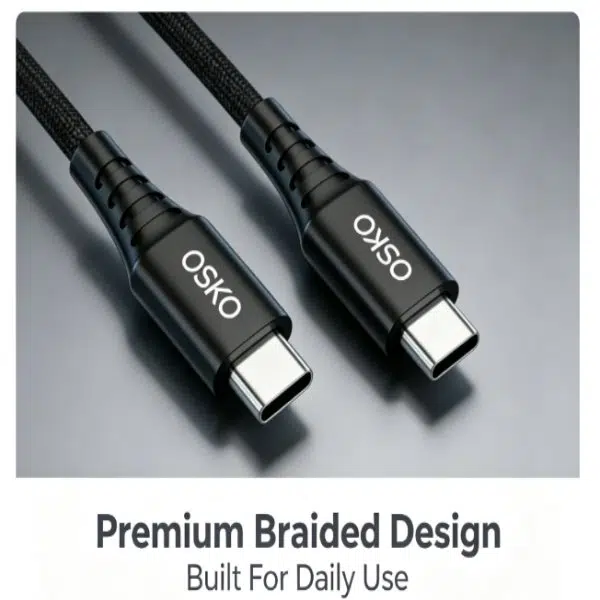
Cable Material and Durability
A laptop charging cable experiences daily bending, twisting, and pulling.
Premium cables often use:
Nylon braided jacket
Reinforced connectors
Multi-strand copper conductors
Aluminum alloy housing
Compared with ordinary PVC cables, braided USB-C cables offer:
Better abrasion resistance
Longer service life
Premium appearance
Cable Length
Different users need different lengths.
Popular options include:
| Length | Application |
|---|---|
| 3ft | Desk charging |
| 6ft | Home and office |
| 10ft | Extended workspace |
For North American and European markets, 6ft USB-C cables are especially popular because they provide flexibility without excessive cable clutter.
OEM USB-C Cable Solutions for Brands and Wholesalers
As USB-C adoption continues worldwide, retailers and distributors are increasing demand for reliable charging accessories.
Professional buyers usually look for:
Stable quality
Competitive pricing
Custom packaging
Private labeling
Reliable production capacity
An experienced OEM USB-C cable manufacturer can provide:
Product Customization
Including:
Custom cable length
Custom colors
Logo printing
Packaging design
Connector customization
Quality Testing
Professional factories perform:
Charging performance tests
Bend tests
Pull tests
Material inspections
Safety compliance testing
Engineering Case Study: Custom USB-C Laptop Cable Solution for European Retail Brand
Customer Background
A European electronics retailer wanted to launch a premium charging accessory line for laptops and mobile devices.
Their existing supplier provided low-cost USB-C cables, but customers reported:
Slow laptop charging
Cable overheating
Connector failures
High return rates
Engineering Challenges
The customer needed a cable that could:
Support laptop fast charging
Maintain stable power delivery
Improve durability
Match premium retail positioning
OSKO Solution
OSKO developed a customized USB-C charging cable solution with:
High-quality copper conductors
Reinforced connector structure
Nylon braided outer jacket
PD charging compatibility
Custom retail packaging
The cable design was optimized for:
Laptop charging
Tablet charging
Smartphone fast charging
Results
After product launch:
Customer complaints decreased
Product ratings improved
Repeat orders increased
Brand positioning improved
This case demonstrates why professional buyers prefer reliable USB-C cable manufacturers instead of low-cost suppliers.

How to Choose a Reliable USB-C Cable Supplier
For importers and distributors in the US and Europe, evaluate suppliers based on:
Manufacturing Capability
Check:
Production experience
Quality control system
Customization ability
Product Compliance
Important certifications may include:
CE
FCC
RoHS
ISO9001
Communication Efficiency
A professional supplier should provide:
Fast quotation
Technical support
Sample testing
Production updates
FAQ: How to Charge Laptop Without Charger
Can I charge my laptop without the original charger?
Yes. If your laptop supports USB-C Power Delivery, you can use a compatible USB-C PD charger and USB-C charging cable. Other options include power banks and universal adapters.
Can I charge my laptop with a USB-C cable?
Yes. Many modern laptops support USB-C charging. The cable and charger must provide enough wattage for your laptop’s requirements.
What USB-C cable do I need to charge a laptop?
Choose a USB-C PD cable based on your laptop power requirement. A 60W cable works for smaller laptops, while 100W or higher cables are better for professional and gaming laptops.
Can a phone charger charge a laptop?
Some high-power USB-C phone chargers can charge compatible laptops, but only if they support sufficient USB-C PD output.
Is a 100W USB-C cable better than a 60W cable?
A 100W cable supports higher power delivery and is more suitable for laptops. However, if your device only requires 60W, a 60W cable is sufficient.
How long does a USB-C laptop charging cable last?
A high-quality braided USB-C cable can last several years depending on usage, materials, and testing standards.
Summary
Knowing how to charge a laptop without a charger can help users stay productive when traditional adapters are unavailable. Among all alternative solutions, USB-C Power Delivery provides the most convenient, reliable, and future-ready charging experience.
A durable USB-C laptop charging cable supports fast charging, stable power delivery, and compatibility with modern devices including laptops, tablets, and smartphones.
For businesses, retailers, and distributors, sourcing from a professional OEM USB-C cable manufacturer ensures better quality, customization options, and long-term customer satisfaction.
Request OEM USB-C Cable Solutions from OSKO
OSKO provides professional USB-C cable manufacturing solutions for global brands, wholesalers, and retailers.
Our capabilities include:
USB-C to USB-C charging cables
USB-C PD fast charging cables
Laptop charging cables
Nylon braided USB-C cables
OEM & ODM customization
Custom packaging solutions
Quality testing support
Contact OSKO today for samples, specifications, and wholesale pricing for your USB-C cable projects.
