















Introduction
Choosing the best USB-C cable for laptop charging is more complicated than selecting a cable with the correct connector.
Many laptop users experience charging problems even when the USB-C plug fits correctly:
Laptop charges slowly during use
Battery percentage continues to drop while working
Charger frequently disconnects
Cable becomes hot during high-power charging
Laptop cannot reach the advertised charging speed
The reason is that laptop charging requires significantly more power than smartphone charging.
A laptop USB-C charging solution depends on:
Power Delivery (PD) compatibility
Cable wattage rating
Current capacity
E-marker chip support
Internal wiring design
Cable length and material quality
For example:
A 60W cable may work for MacBook Air.
A 100W cable is usually required for MacBook Pro.
A 240W cable supports the latest high-power USB-C PD applications.
For consumers, choosing the correct cable improves charging speed and stability.
For brands, distributors, and retailers, understanding laptop charging requirements is essential when sourcing professional USB-C cable manufacturer solutions.
Material Science & Dielectric Properties
Why Laptop Charging Requires Higher-Power USB-C Cables
Laptops consume much more energy than smartphones because they power:
High-performance processors
Large displays
Cooling systems
External devices
A charging cable must transfer enough electrical power while controlling heat generation.
USB-C Power Delivery uses voltage and current negotiation to provide suitable power.
P=VI
P=VI=(12V)(2A)=24W
R+−I = 2 AVR+−12 V
The charging capability is determined by:
Power = Voltage × Current
Higher laptop charging requirements require:
Higher current support
Better conductor materials
Lower electrical resistance
Understanding USB-C Cable Wattage for Laptops
Different laptops require different charging power levels.
| USB-C Cable Rating | Suitable Devices | Typical Usage |
|---|---|---|
| 60W USB-C cable | MacBook Air, Ultrabooks | Daily office work |
| 100W USB-C cable | MacBook Pro, Business laptops | Professional use |
| 140W USB-C cable | High-performance laptops | Heavy workloads |
| 240W USB-C cable | Advanced USB PD 3.1 devices | Gaming and workstation applications |
Selecting a cable with insufficient wattage may cause:
Slow charging
Reduced performance
Battery drain during heavy workloads
60W vs 100W vs 240W USB-C Cable for Laptop Charging
60W USB-C Cable
A 60W cable is suitable for:
MacBook Air
Lightweight laptops
Tablets with laptop functions
Advantages:
Lower cost
Flexible design
Easy portability
Limitations:
Not suitable for demanding MacBook Pro models
Limited charging headroom
100W USB-C Cable
A 100W USB-C cable is one of the most popular choices for laptop charging.
Suitable for:
MacBook Pro
Dell XPS
Lenovo ThinkPad
HP business laptops
Benefits:
Supports 20V/5A charging
Works with most USB-C laptops
Better future compatibility
A professional 100W cable normally requires an E-marker chip.
240W USB-C Cable
A 240W USB-C cable supports USB PD 3.1 Extended Power Range (EPR).
Applications:
Gaming laptops
Workstations
High-performance computers
Advantages:
Maximum USB-C power capability
Supports future devices
However, most users do not need 240W unless their laptop specifically supports it.

E-Marker Chip: The Key Technology for Laptop Charging
High-power laptop charging requires intelligent cable identification.
An E-marker chip allows the cable to communicate:
Maximum power capability
Current rating
Cable specification
For example:
A laptop requesting 100W charging needs a cable capable of safely supporting 5A current.
Without an E-marker:
Charger may reduce output
Laptop charging speed decreases
High-power charging may not work
For manufacturers producing 100W USB-C cable and 240W USB-C cable products, E-marker testing is a critical quality requirement.
Internal Wiring Design Determines Charging Performance
A laptop charging cable requires stronger internal construction than a phone cable.
Important components include:
| Component | Function |
|---|---|
| Copper conductor | Transfers electrical current |
| Insulation layer | Prevents leakage |
| Shielding | Reduces interference |
| E-marker chip | Communicates power capability |
| Outer jacket | Protects structure |
Copper Conductor Quality
High-quality conductors provide:
Lower resistance
Stable voltage delivery
Less heat generation
Poor-quality conductors may cause:
Charging speed reduction
Cable overheating
Shorter lifespan
This is why professional laptop charging cables require controlled conductor design.
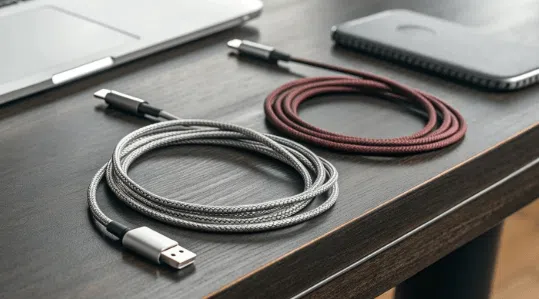
Braided USB-C Cable Design for Laptop Charging
Laptop users often carry cables between:
Office
Home
Airport
Meeting rooms
Frequent bending and storage can damage ordinary cables.
A braided design improves:
Flexibility
Abrasion resistance
Mechanical strength
Applications include:
Travel USB cable
Desk charging cable
Business laptop accessories
Many brands work with a Heavy duty braided USB-C cable manufacturer to develop premium laptop charging solutions.
Cable Length Selection for Laptop Charging
Cable length affects convenience and electrical performance.
| Length | Recommended Application |
|---|---|
| 3ft | Portable charging |
| 6ft | Office desk setup |
| 10ft | Large workspace |
Long cables require better engineering because resistance increases with distance.
A professional supplier can provide:
OEM ODM custom length USB C cables
for different laptop applications.
Laptop USB-C Cable Compatibility Guide
| Laptop Brand | Recommended Cable |
|---|---|
| MacBook Air | 60W USB-C cable |
| MacBook Pro 13/14 inch | 60W–100W USB-C cable |
| MacBook Pro 16 inch | 100W–140W USB-C cable |
| Dell XPS | 60W–100W USB-C cable |
| Lenovo ThinkPad | 65W–100W USB-C cable |
| Gaming laptops | 100W–240W USB-C cable |
Case Study
North American Computer Accessory Brand Develops Laptop Charging Cable Series
Customer Background
A US electronics accessory company planned to expand its laptop charging category.
Target markets:
MacBook users
Business professionals
Remote workers
IT distributors
Required products:
Portable laptop cables
Premium braided cables
Custom retail packaging
Customer Challenges
Previous Product Performance Issues
The company received customer complaints:
Laptop charging speed was inconsistent
Some cables overheated
Different suppliers provided different specifications
The main problem was insufficient product classification.
OSKO Solution
OSKO created a structured laptop charging cable portfolio.
| Product | Engineering Solution | Application |
|---|---|---|
| 60W USB-C cable | Standard PD design | MacBook Air |
| 100W USB-C cable | E-marker + reinforced structure | MacBook Pro |
| 240W USB-C cable | PD 3.1 EPR design | High-power laptops |
| Braided series | Nylon outer protection | Premium retail |
The project included:
OEM USB-C cable manufacturer
ODM USB cable supplier
Bulk USB cables
Private label charging cable development
Selection Guide
How to Choose the Best USB-C Cable for Laptop Charging
Check Your Laptop Charger Wattage
First identify:
Original charger power
Laptop maximum charging requirement
Then select a cable with equal or higher capability.
Example:
| Laptop Requirement | Recommended Cable |
|---|---|
| 45W laptop | 60W cable |
| 65W laptop | 100W cable |
| 96W laptop | 100W cable |
| 140W laptop | 140W/240W cable |
Choose Certified Products
For global markets, buyers should consider:
| Certification | Purpose |
|---|---|
| CE | European safety |
| RoHS | Material compliance |
| FCC | US electromagnetic requirements |
| USB-IF | USB performance |
| ISO9001 | Factory quality system |
Professional suppliers can provide:
CE RoHS certified 240W USB C cable
USB-IF compliant Type C cable manufacturer
FCC approved nylon braided USB C cable supplier
ISO9001 certified braided USB cable factory
Evaluate Supplier Capability
For wholesale and OEM buyers, evaluate:
Factory production capability
Testing equipment
Customization ability
Certification support
Long-term supply stability
A reliable supplier should support:
Custom lengths
Custom colors
Logo printing
Retail packaging
Bulk production
FAQ
What is the best USB-C cable wattage for a laptop?
For most laptops, a 100W USB-C cable provides the best balance between compatibility and performance.
Can a 60W USB-C cable charge a MacBook Pro?
Some MacBook Pro models can charge with a 60W cable, but charging may be slower under heavy workloads.
Is a 240W USB-C cable better than a 100W cable?
A 240W cable provides higher power capability, but most laptops do not require this level.
Does USB-C cable quality affect laptop charging speed?
Yes. Cable resistance, conductor quality, and power rating directly affect charging performance.
Are braided USB-C cables better for laptops?
Yes. Braided cables generally provide better durability for users who frequently travel or move between work locations.
Summary
The best USB-C cable for laptop charging depends on the laptop power requirement, charger output, and usage scenario.
Key selection factors include:
USB-C PD compatibility
Cable wattage rating
E-marker technology
Internal conductor quality
Cable length
Durability materials
Safety certifications
Recommended choices:
60W USB-C cable: MacBook Air and lightweight laptops
100W USB-C cable: MacBook Pro and most professional laptops
240W USB-C cable: High-performance USB PD 3.1 devices
For businesses, retailers, and distributors, working with an experienced USB-C cable manufacturer ensures reliable engineering, customized production, and consistent quality for global laptop charging markets.
Contact Information
OSKO provides professional laptop charging cable solutions:
60W / 100W / 240W USB-C cables
Nylon braided laptop charging cables
OEM and ODM USB cable manufacturing
Private label USB-C cables
Custom length and packaging solutions
