















Introduction: Why Thunderbolt and USB-C Are So Confusing
A USB-C port and a Thunderbolt port can look almost identical.
That is where much of the confusion begins.
A laptop may have a small USB-C-shaped port, while another laptop has a Thunderbolt port using the same physical connector. You can plug similar-looking cables into both, yet the available data speeds, display capabilities, peripheral support, and charging features may be very different.
The key point is simple:
USB-C describes the connector ecosystem and related electrical/mechanical specifications. Thunderbolt describes a high-performance connectivity technology that uses USB-C connectors on modern versions.
USB-IF specifically states that USB Type-C is not the same thing as USB 3.2, USB4, or USB Power Delivery. Capabilities vary by product implementation.
For consumers, this determines which cable you should buy.
For professional users, it can determine whether an external SSD, dock, monitor, or workstation setup reaches its advertised performance.
For cable manufacturers and B2B buyers, it determines how the product should be engineered, tested, labeled, and certified.
USB-C vs Thunderbolt: The First Difference
USB-C is primarily a physical connector ecosystem with defined cable and connector requirements.
Thunderbolt is a connectivity technology that uses USB-C connectors on Thunderbolt 3, Thunderbolt 4, and Thunderbolt 5 products.
That means:
USB-C does not automatically mean Thunderbolt.
And:
A USB-C cable does not automatically support Thunderbolt’s maximum capabilities.
The same USB-C-shaped connector can carry different protocols depending on the host, device, cable, and port implementation.
For example, a USB-C port may support USB 2.0 only, while another USB-C port may support USB 3.2, USB4, DisplayPort Alt Mode, or Thunderbolt.
USB-IF explicitly recommends that manufacturers identify actual performance capabilities instead of treating USB-C as a performance specification by itself.
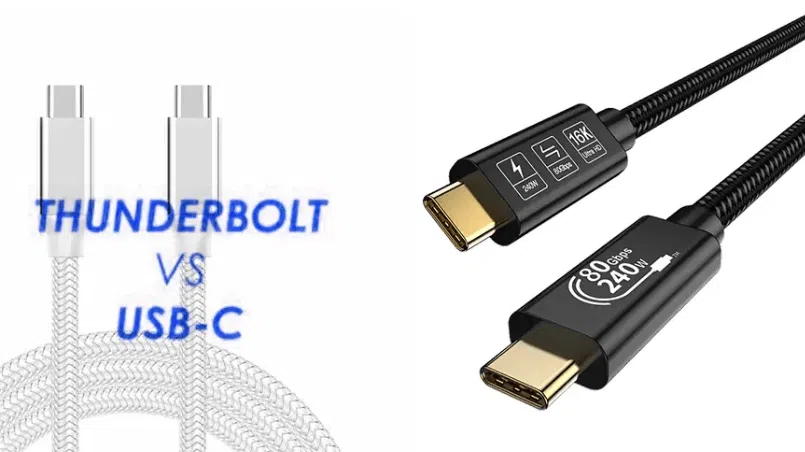
Thunderbolt 3 vs USB-C
Thunderbolt 3 introduced Thunderbolt connectivity through the USB-C connector.
It supports up to 40Gbps of bidirectional bandwidth and can carry data, display signals, and power through a single connection when supported by the system.
That made Thunderbolt 3 particularly useful for:
External SSDs
Professional docks
High-resolution displays
Video production
External graphics
Large file transfers
However, “USB-C” alone does not provide the same guarantee.
A USB-C cable may be designed only for USB 2.0 charging/data operation or may support more advanced USB standards.
Therefore, when comparing a Thunderbolt cable vs USB-C cable, the important question is not the connector shape. It is the capability of the complete cable and system.
Thunderbolt 4 vs USB-C
Thunderbolt 4 also uses USB-C connectors and maintains a 40Gbps connection requirement.
Intel’s Thunderbolt 4 requirements include support for two 4K displays or one 8K display, PCIe connectivity at up to 32Gbps, support for docks with multiple Thunderbolt ports, and defined compatibility with USB and other standards.
This is different from a generic USB-C port because USB-C itself does not require those capabilities.
A USB-C port can support:
USB 2.0
USB 3.2
USB4
DisplayPort Alt Mode
USB Power Delivery
but which combination is available depends on the specific device.
Thunderbolt 5 vs USB-C
For a 2026 comparison, Thunderbolt 5 should not be overlooked.
Thunderbolt 5 uses the same USB-C-style connector but increases the headline performance substantially.
Intel specifies:
Up to 80Gbps bidirectional bandwidth
Up to 120Gbps transmit bandwidth through Bandwidth Boost for display-heavy workloads
PCIe Gen 4 connectivity
Support for DisplayPort 2.1
PC charging up to 240W on supported systems
Up to dual 8K display support in applicable configurations
That makes the modern comparison more accurately:
Thunderbolt 5 vs USB4, rather than treating all USB-C products as one category.
USB4 Version 2.0 also supports up to 80Gbps operation over appropriate 80Gbps-certified USB Type-C cables.
The important difference is therefore not simply “Thunderbolt is faster than USB-C.”
It is about the required feature set, certification, interoperability, device implementation, and cable capability.
Thunderbolt vs USB4 Speed Comparison
| Technology | Maximum headline bandwidth | Important distinction |
|---|---|---|
| USB 2.0 | 480Mbps | Basic data capability |
| USB 3.2 Gen 1 | 5Gbps | SuperSpeed USB |
| USB 3.2 Gen 2 | 10Gbps | Higher-speed USB |
| USB 3.2 Gen 2×2 | 20Gbps | 20Gbps USB implementation |
| USB4 | Up to 40Gbps or higher depending on version/configuration | Capability varies |
| USB4 Version 2.0 | Up to 80Gbps | Requires appropriate implementation/cable |
| Thunderbolt 3 | 40Gbps | High-performance Thunderbolt |
| Thunderbolt 4 | 40Gbps | Higher minimum capability requirements |
| Thunderbolt 5 | 80Gbps bidirectional; up to 120Gbps transmit with Bandwidth Boost | Latest Thunderbolt generation |
USB-IF states that USB4 supports up to 80Gbps operation over 80Gbps certified cables. Intel specifies Thunderbolt 5 at up to 80Gbps bidirectional and up to 120Gbps transmit under Bandwidth Boost.
Thunderbolt Certification vs USB-C Certification
Another important difference is certification.
Intel states that Thunderbolt shipping computers, accessories, and cables are subject to Thunderbolt certification requirements.
USB-IF also operates compliance programs for USB Type-C, USB4, and USB Power Delivery products.
These are separate programs.
A manufacturer should not describe a generic USB-C cable as Thunderbolt-certified simply because the cable has a USB-C connector.
For buyers, certification should be verified for the exact product rather than inferred from supplier language.

How to Choose the Right Cable
For Everyday Charging
A properly specified USB-C charging cable is usually sufficient for:
Smartphones
Tablets
Power banks
Everyday laptop charging
General accessories
You may not need Thunderbolt capability.
For External SSDs
If high-speed external storage is important, check whether your computer and SSD use USB 3.2, USB4, Thunderbolt 4, or Thunderbolt 5.
The cable must support the target protocol.
For Professional Docks
A Thunderbolt dock is best paired with the appropriate Thunderbolt cable and a host that supports the same technology.
For Multiple Displays
Check the complete system:
Laptop port + cable + dock + monitor
A USB-C-shaped connector does not guarantee a specific display configuration.
For 80Gbps USB4
Choose an appropriately specified and certified 80Gbps USB4 cable where that performance is required.
USB-IF’s current USB4 materials specify up to 80Gbps operation over 80Gbps certified cables.
How to Identify Thunderbolt and USB-C Ports
The easiest starting point is the product documentation.
Thunderbolt ports commonly use the Thunderbolt lightning-bolt icon, although users should confirm the exact implementation in the device specifications.
On a Windows or macOS computer, system information can also reveal Thunderbolt hardware.
For purchasing, however, documentation is more reliable than guessing from appearance.
The same USB-C connector may represent very different capabilities.
Application Guide: Which Technology Fits?
| Application | USB-C / USB4 | Thunderbolt |
|---|---|---|
| Phone charging | Suitable | Usually unnecessary |
| Tablet charging | Suitable | Usually unnecessary |
| Basic file transfer | Suitable | Usually unnecessary |
| External SSD | Depends on required speed | Excellent for supported workflows |
| Professional docking | Depends on device | Strong fit |
| Multiple high-resolution displays | Device dependent | Strong fit |
| Large video workflows | USB4 may be suitable | Strong fit |
| eGPU workflows | Device dependent | Common professional use case |
| 80Gbps USB4 | Requires compatible USB4 implementation | Thunderbolt 5 also reaches 80Gbps |
| Everyday retail cable | USB-C | Usually unnecessary |
The right choice depends on the workload rather than the label alone.
USB-C and Thunderbolt Cable Sourcing for Brands and OEM Buyers
For cable manufacturers, the distinction creates several different product categories.
A retail USB-C charging cable may prioritize:
Power delivery
Flexibility
Durability
Connector strength
Competitive cost
A USB4 cable requires additional attention to:
High-speed signal integrity
Differential-pair design
Shielding
Impedance
Connector construction
Compliance testing
A Thunderbolt cable has its own certification and performance requirements.
For a brand developing an OEM cable range, these products should not be treated as interchangeable SKUs.
A professional USB-C cable manufacturer should establish the target protocol before choosing the cable structure.
FAQ
Is Thunderbolt the same as USB-C?
No. USB-C refers to the connector and associated Type-C specifications, while Thunderbolt is a high-performance connectivity technology that uses USB-C connectors on modern generations.
Is Thunderbolt faster than USB-C?
That question is incomplete because USB-C can support different USB generations. A USB-C connection may be USB 2.0, USB 3.2, or USB4. Thunderbolt 4 reaches 40Gbps, while Thunderbolt 5 reaches up to 80Gbps bidirectional bandwidth and up to 120Gbps transmit with Bandwidth Boost.
Is Thunderbolt 4 the same as USB4?
No. Thunderbolt 4 and USB4 share important technologies and use USB-C connectors, but their minimum feature requirements and certification systems differ.
Is Thunderbolt 5 faster than USB4?
Both can reach 80Gbps in supported configurations. Thunderbolt 5 additionally offers its Bandwidth Boost capability for up to 120Gbps transmit bandwidth under display-heavy workloads.
Can I use a USB-C cable with a Thunderbolt port?
It depends on the cable’s capabilities and the application. A USB-C cable can physically connect to a Thunderbolt USB-C port, but a basic USB-C cable may not support the Thunderbolt performance required by a high-speed dock or storage device.
Can Thunderbolt cables work with USB-C devices?
Thunderbolt products are designed for broad compatibility with USB products, but the resulting performance depends on the devices, protocols, and cable. Physical compatibility should not be confused with maximum performance.
Does USB-C support 240W charging?
USB-C systems can support USB Power Delivery up to 240W with compatible PD 3.1 EPR implementations. USB-C by itself does not guarantee 240W.
Do I need a Thunderbolt cable for a USB4 device?
Not necessarily. A properly specified USB4 cable can support USB4 operation. Choose the cable according to the required USB4 speed and features.
Can USB-C support two monitors?
It can, depending on the host device, DisplayPort support, USB4 or Thunderbolt implementation, dock, monitors, and available bandwidth. USB-C alone does not guarantee dual-monitor output.
Why does my USB-C cable charge but not transfer files at high speed?
The cable may support charging but only a lower USB data mode. USB-C connector shape does not guarantee USB 3.2, USB4, or Thunderbolt performance.
What is the best cable for a Thunderbolt 5 dock?
Use a Thunderbolt 5-compatible cable that matches the dock, host, display, storage, and required bandwidth. Check the certified product specification rather than relying only on the USB-C connector.
What should an OEM USB-C cable manufacturer know about Thunderbolt?
The manufacturer needs to know the exact target technology, bandwidth, cable length, power requirement, connector configuration, signal-integrity requirements, compliance expectations, and certification pathway.
Conclusion
The real difference in Thunderbolt vs USB-C is not the connector shape.
Both technologies can use the same USB-C-style physical connector, but their underlying capabilities can be very different.
USB-C is a flexible connector ecosystem supporting multiple USB generations, power-delivery configurations, and alternate modes.
Thunderbolt adds a more tightly defined high-performance connectivity platform for demanding data, display, docking, and professional workflows.
The latest generation, Thunderbolt 5, reaches up to 80Gbps bidirectional bandwidth and can use Bandwidth Boost for up to 120Gbps transmit performance in appropriate workloads. USB4 Version 2.0 can also reach 80Gbps with compatible implementations and certified cables.
For everyday charging and data transfer, a properly specified USB-C cable may be all you need.
For high-speed storage, advanced docking, professional displays, and demanding workstation environments, the exact USB4 or Thunderbolt specification matters much more.
For brands, distributors, and retailers, this also means cable sourcing should begin with the required protocol rather than the connector.
OSKO specializes in OEM and ODM USB cable manufacturing for brands, wholesalers, distributors, and retailers, including high-quality USB-C charging cables, braided USB-C cables, custom USB-C cable solutions, private-label products, and application-specific cable development.
OSKO can help evaluate the required cable architecture and develop a USB-C cable solution for retail, professional, automotive, travel, and other commercial applications.
