















Introduction: Apple’s Transition From Lightning to USB-C
For many years, Apple users relied on the Lightning connector for iPhones, iPads, and accessories. While Lightning provided a simple and reliable charging solution, the technology industry gradually moved toward a more universal standard.
That standard is USB-C.
Today, more Apple products use USB-C than ever before. From MacBook computers and iPad models to the latest iPhone generation, USB-C has become an important part of Apple’s ecosystem.
For users searching “what Apple devices use USB-C”, the answer is broader than just iPhones.
USB-C now supports:
Faster charging
Higher power delivery
Faster data transfer
External displays
Professional accessories
Cross-device compatibility
This transition has changed the way Apple users charge and connect their devices.
Instead of carrying different cables for different products, many users can now use a single USB-C charging cable for Apple devices.
Why Did Apple Move From Lightning to USB-C?
Before USB-C adoption, Apple mainly used Lightning connectors across iPhones and accessories.
Lightning offered several benefits:
Compact size
Reversible connection
Reliable everyday charging
However, modern devices require more power and faster data performance.
USB-C provides several advantages that match the needs of current technology.
Higher Charging Capability
USB-C supports USB Power Delivery (USB PD), allowing compatible devices to receive higher charging power.
This is especially important for:
MacBook computers
iPad Pro models
High-performance accessories
A properly rated USB-C cable can deliver more power compared with traditional Lightning solutions.
Faster Data Transfer
One major difference between USB-C and Lightning is data performance.
USB-C supports various USB standards, including faster data transfer technologies.
This benefits users who frequently move:
Large video files
Professional photography content
Backup data
Creative project files
For professionals working with Apple devices, faster transfer speeds can significantly improve workflow efficiency.
One Cable for Multiple Devices
One of the biggest advantages of USB-C is compatibility.
A single USB-C cable may work with:
iPhone
iPad
MacBook
AirPods charging case
External displays
Power banks
This reduces cable clutter and creates a simpler charging environment.
What Apple Devices Use USB-C?
Apple has gradually expanded USB-C across its product lineup.
Below are the major Apple devices that support USB-C charging and connectivity.
MacBook Series: USB-C Became the Standard
MacBook was one of the first major Apple product lines to fully transition toward USB-C.
Since 2015, MacBook models have adopted USB-C ports for:
Charging
Data transfer
External displays
Accessories
Modern MacBook models use USB-C or Thunderbolt over USB-C connections.
This allows users to connect:
USB-C chargers
External SSD drives
Monitors
Docking stations
For MacBook users, choosing the correct USB-C cable for MacBook is important because different cables support different charging levels.
For example:
Lightweight MacBook models may work well with lower-power USB-C cables.
MacBook Pro models may require higher wattage cables such as 100W or 240W USB-C cables.
iPad Models With USB-C
Apple introduced USB-C to iPad models to improve professional usability.
Major iPad models supporting USB-C include:
iPad Pro models
iPad Air models with USB-C
Newer iPad generations using USB-C
USB-C transformed the iPad from a simple tablet into a more flexible productivity device.
Users can connect:
External monitors
Cameras
Storage devices
Keyboards
USB accessories
For creators, photographers, and business users, USB-C provides much more flexibility compared with older connectors.
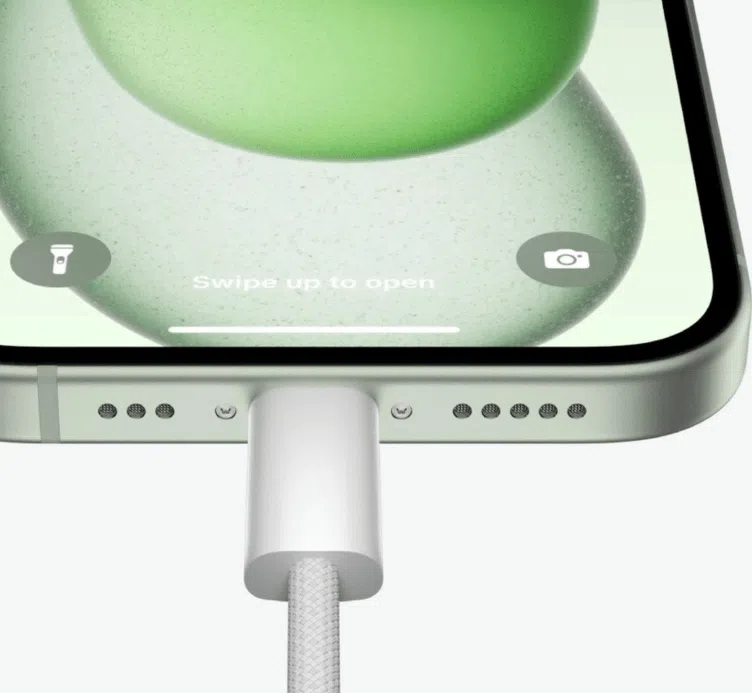
iPhone 15 and Newer iPhone Models Use USB-C

The iPhone 15 series marked a major change for Apple’s smartphone lineup.
Apple replaced the Lightning port with USB-C.
This means users can now charge iPhones using:
USB-C wall chargers
USB-C power banks
USB-C cables shared with MacBook and iPad devices
The benefits include:
Faster charging compatibility
More universal accessories
Easier connection with other devices
For example, users can connect an iPhone with USB-C to:
Mac computers
External storage devices
Displays
Cameras
The move created a more connected Apple ecosystem.
AirPods With USB-C Charging Case
Apple has also introduced USB-C charging support for AirPods.
The AirPods Pro (2nd generation) charging case is available with USB-C compatibility.
This allows users to charge their AirPods with the same USB-C cable used for other Apple devices.
For travelers, this means fewer charging accessories are needed.
A single USB-C charging cable for iPhone, iPad, and AirPods can simplify everyday carry.
Apple Studio Display and Professional Accessories
Apple’s professional products also use USB-C technology.
Devices such as Apple Studio Display and other professional accessories rely on USB-C or Thunderbolt connections for:
Video transmission
Data communication
Device connectivity
For creative professionals, USB-C has become an important connection standard.
USB-C vs Lightning: What Is the Difference?
Many Apple users still ask:
“What is better, USB-C or Lightning?”
The answer depends on the application.
Charging Speed
USB-C generally supports higher power delivery.
This makes it better suited for:
Fast charging
Larger devices
Professional equipment
Data Transfer Speed
USB-C supports significantly higher transfer speeds depending on the cable and standard.
Lightning connections generally provide lower maximum transfer rates.
Users working with:
Videos
Photos
Large files
can benefit from USB-C performance.
Compatibility
Lightning was mainly designed for Apple devices.
USB-C is widely used across:
Apple products
Android devices
Windows laptops
Tablets
Accessories
This makes USB-C a more universal solution.

How to Choose the Right USB-C Cable for Apple Devices
Not every USB-C cable provides the same performance.
Before purchasing, consider these factors.
Check Charging Power Requirements
Different Apple devices require different power levels.
Examples:
iPhone users may need a 20W+ compatible setup.
iPad users may require higher power.
MacBook Pro users may need 100W or higher.
Choosing the correct cable prevents charging limitations.
Consider Data Transfer Needs
If you only charge devices, a basic USB-C cable may be enough.
However, professional users should consider cables supporting higher data speeds.
Choose Durable Cable Construction
Apple devices are premium products, so accessories should also provide reliable quality.
A good USB-C cable should include:
Strong connectors
Reliable internal conductors
Flexible outer materials
Reinforced stress points
Engineering Case Study: Developing USB-C Cables for Apple Device Users
A European electronics distributor wanted to expand its Apple accessory product line.
Their challenge was finding a USB-C cable supplier capable of supporting different Apple applications:
iPhone USB-C charging
iPad accessories
MacBook high-power charging
The distributor required:
Multiple cable lengths
Custom packaging
Stable charging performance
Long-term durability
OSKO developed customized USB-C cable solutions using:
High-quality copper conductors
Reinforced connector structures
Power delivery compatibility
OEM packaging support
The final product range covered consumer retail and professional applications.
This case demonstrates that USB-C cables are no longer simple accessories. They are important components of the modern Apple ecosystem.
Why Choose OSKO as Your USB-C Cable Manufacturer?
OSKO specializes in USB-C charging and data cable manufacturing for global markets.
The company supports:
OEM USB-C cable production
ODM customization
Private label solutions
Bulk wholesale orders
Custom packaging
For distributors and retailers in the US, Germany, Australia, and the Netherlands, reliable cable quality is essential for building customer trust.
A professional USB-C cable manufacturer helps businesses create products that meet modern charging requirements.
Conclusion: USB-C Is the Future of Apple Connectivity
Apple’s transition to USB-C represents a major change in how users charge and connect devices.
Today, many Apple products use USB-C, including:
MacBook
iPad
iPhone 15 and newer models
AirPods Pro charging cases
Professional Apple accessories
The biggest benefits of USB-C include:
Faster charging
Better compatibility
Improved data transfer
Reduced cable clutter
As Apple continues expanding USB-C across its ecosystem, choosing the right cable becomes increasingly important.
A high-quality USB-C cable is not just an accessory — it is a key connection between your devices and the technology you use every day.
FAQ
What Apple devices use USB-C?
Apple devices using USB-C include MacBook models, iPad Pro, iPad Air models with USB-C, iPhone 15 and newer iPhone models, AirPods Pro charging cases with USB-C, and professional Apple accessories.
Can I use the same USB-C cable for iPhone and MacBook?
Yes, many USB-C cables can work with both iPhone and MacBook. However, charging speed depends on the cable power rating and device requirements.
Is USB-C better than Lightning for iPhone?
USB-C provides advantages including higher charging capability, faster data transfer options, and compatibility with more devices compared with Lightning.
Do all USB-C cables support fast charging for Apple devices?
No. USB-C cables have different power ratings. For fast charging, choose a cable that supports the required USB Power Delivery specification.
What USB-C cable should I use for MacBook Pro?
MacBook Pro models often require higher-power USB-C cables, such as 100W or 240W cables, depending on the model and charger.
Can USB-C charge AirPods and iPhone together?
Yes. USB-C allows users to share charging accessories across compatible Apple devices, reducing the number of cables needed.
Is USB-C the future standard for Apple devices?
USB-C has become a major connection standard across Apple products and is expected to remain important for future charging and connectivity solutions.
