















A USB-C cable may look identical from the outside, but its internal engineering determines whether it can provide stable charging, reliable data transmission, video output, and high-power performance.
Many users ask:
“Why is my USB-C cable not working?”
The answer is usually not the connector shape.
The most common causes include:
Incorrect internal wiring
Poor-quality copper conductors
Insufficient current capacity
Missing USB Power Delivery support
No E-Marker chip configuration
Weak connector assembly
Poor manufacturing quality control
For electronics brands, distributors, and retailers, selecting the right OEM USB-C cable manufacturer is critical because cable failures directly increase product returns and customer complaints.
A professional USB-C cable supplier must control material selection, engineering design, production testing, and compliance verification before mass production.
What Determines Whether a USB-C Cable Works Correctly?
Why Can Two USB-C Cables Perform Differently?
USB-C only defines the physical connector interface.
The actual performance depends on internal design factors:
Power conductor structure
Data transmission lines
Shielding layers
Cable gauge
Connector quality
USB protocol support
E-Marker chip integration
For example:
A basic USB-C charging cable may charge a smartphone but fail when connected to:
A gaming laptop
A USB-C monitor
A docking station
An external SSD
A high-power charger
This is why professional buyers should evaluate USB-C cables based on engineering specifications rather than appearance.
Common Reasons USB-C Cables Fail
Why Does My USB-C Cable Not Charge?
The most common charging failures include:
| Problem | Possible Cause | Result |
|---|---|---|
| No charging | Broken VBUS or GND connection | No power delivery |
| Slow charging | Thin copper conductors | Reduced charging speed |
| No fast charging | No USB PD support | Charger limits output |
| Charging interruption | Poor connector contact | Unstable connection |
| Overheating | High resistance | Excessive heat |
A reliable charging cable requires:
Proper conductor size
Low resistance design
Stable connector contacts
Correct power protocol support
Professional manufacturers such as USB-C charging cable factories perform electrical testing before shipment to prevent these failures.
Does Every USB-C Cable Support Fast Charging?
Why Are Some USB-C Cables Slow?
No.
Fast charging depends on communication between:
Charger
Cable
Device
USB Power Delivery (USB PD) requires the cable to support specific current ratings.
Typical requirements:
| Power Level | Cable Requirement |
|---|---|
| Standard charging | 28 AWG conductor |
| 60W USB PD | 24–26 AWG |
| 100W USB PD | 22–24 AWG + E-Marker |
| 240W USB PD 3.1 | 20–22 AWG + E-Marker |
A low-quality cable may physically connect but fail to deliver the expected power.
For example:
A laptop requiring 100W charging may only receive 60W or lower if the cable cannot support higher current.
Why Does Wire Gauge Matter in USB-C Cable Performance?
Can Thin Wires Cause USB-C Charging Problems?
Yes.
USB cables use AWG (American Wire Gauge) to describe conductor thickness.
The rule:
Lower AWG number = thicker conductor
Thicker conductors provide:
Lower resistance
Better current capacity
Less heat generation
More stable charging
Common conductor selection:
| AWG | Application |
|---|---|
| 28 AWG | Low-power accessories |
| 26 AWG | Standard charging |
| 24 AWG | Fast charging |
| 22 AWG | High-power USB PD |
For OEM projects, conductor design should match the final application.
A smartphone charging cable and a 240W laptop charging cable require completely different internal structures.
Why Does My USB-C Cable Charge but Not Transfer Data?
Are Some USB-C Cables Charging Only?
Yes.
Many inexpensive USB-C cables are designed only for power transmission.
They may contain:
VBUS power wires
Ground wires
But no:
USB 2.0 data lines
USB 3.x SuperSpeed pairs
These cables cannot support:
File transfer
External storage
Device synchronization
USB debugging
USB-C cable categories:
| Cable Type | Charging | Data |
|---|---|---|
| Charging-only cable | Yes | No |
| USB 2.0 cable | Yes | 480Mbps |
| USB 3.2 cable | Yes | Up to 20Gbps |
| USB4 cable | Yes | Up to 40Gbps |
For professional applications, buyers should specify the required USB standard before purchasing.
Why Does USB-C Video Output Not Work?
Can All USB-C Cables Connect to Monitors?
No.
USB-C video transmission requires:
DisplayPort Alt Mode support
High-speed signal lanes
Proper shielding
Controlled impedance design
Applications include:
USB-C monitors
Laptop docking stations
Portable displays
Conference systems
A normal charging cable usually cannot transmit video signals.
For high-speed applications, manufacturers must perform signal integrity testing.
What Is an E-Marker Chip and Why Is It Important?
Why Do High-Power USB-C Cables Need E-Marker?
An E-Marker is an intelligent chip inside advanced USB-C cables.
It stores information including:
Cable power capability
Current rating
USB specification
Data capability
E-Marker chips are required for many:
100W USB-C cables
140W USB-C cables
240W USB PD 3.1 cables
Without proper E-Marker communication:
Chargers may reduce power output
Devices may reject the cable
Safety protection may activate
For brands developing premium charging products, working with a USB PD cable manufacturer with E-Marker experience is essential.
How USB-C Cable Manufacturing Quality Is Tested
What Testing Methods Prevent Cable Failure?
Professional USB-C cable factories use multiple inspection stages.
1. Electrical Continuity Testing
Checks:
VBUS connection
Ground connection
Signal lines
Short circuits
Purpose:
Ensure the cable functions correctly before assembly approval.
2. Resistance Testing
Measures:
Copper conductor resistance
Voltage drop
Current stability
High resistance can cause:
Slow charging
Heat generation
Power loss
3. Bending Fatigue Testing
Simulates daily usage.
Tests:
Repeated bending cycles
Connector stress
Internal wire durability
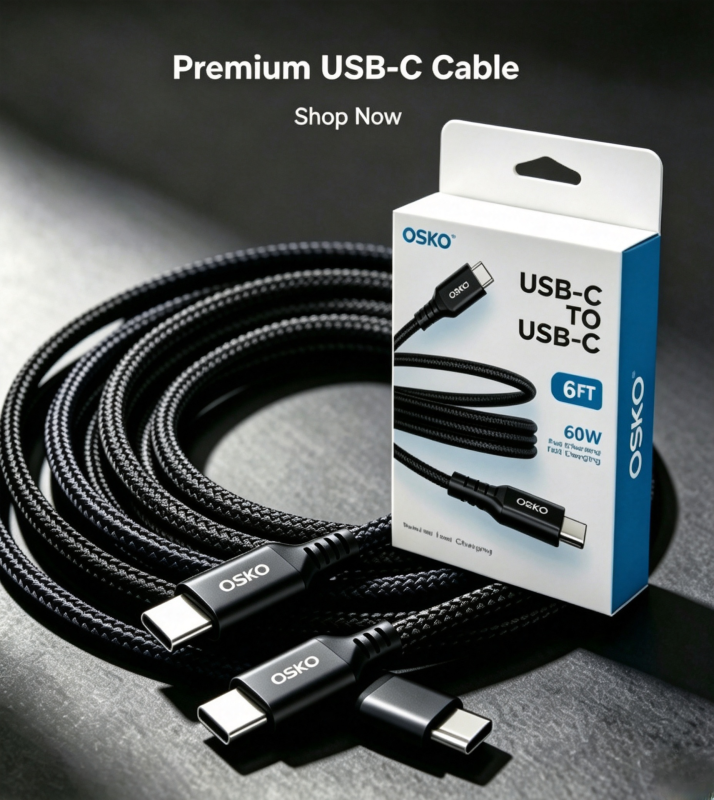
Premium braided USB-C cables often achieve higher bending resistance.
4. Pull Force Testing
Evaluates:
Connector strength
Strain relief structure
Internal wire bonding
Important for:
Automotive cables
Travel cables
Heavy-use charging cables
5. High Voltage Safety Testing
Detects:
Insulation failure
Electrical leakage
Safety risks
Required for export products targeting:
United States
Germany
Australia
Netherlands
6. Signal Integrity Testing
Important for:
USB 3.2 cables
USB4 cables
Thunderbolt-compatible cables
Testing includes:
Signal loss
EMI interference
Data stability
OEM USB-C Cable Manufacturing Quality Control Process
A professional USB cable factory follows:
Incoming Quality Control (IQC)
Checks:
Copper material
Connector components
Jacket materials
IC components
Production Quality Control (IPQC)
Monitors:
- Assembly process
- Soldering quality
- Cable structure
Final Quality Control (OQC)
Verifies:
- Charging performance
- Data function
- Appearance
- Packaging
Factories with ISO9001 quality systems provide better consistency for bulk orders.
Material Selection for Reliable USB-C Cables
Which Materials Improve USB-C Cable Durability?
Professional USB-C cables commonly use:
PVC Jacket
Advantages:
- Low cost
- Easy production
- Suitable for volume orders
TPE Jacket
Advantages:
- Flexible
- Soft touch
- Better user experience
Nylon Braided Jacket
Advantages:
- Premium appearance
- High abrasion resistance
- Better durability
For premium markets including the US and Europe, braided USB-C cables are increasingly popular.
Case Study: Custom USB-C Cable Solution for European Electronics Brand
Customer Background
A European electronics accessory company wanted to launch a premium charging cable product line.
Target markets:
- Germany
- Netherlands
- Online retail channels
- Enterprise customers
Requirements:
- 100W USB-C PD charging
- Durable braided design
- Custom packaging
- Stable quality for wholesale distribution
Challenges
Previous suppliers had problems:
- Unstable charging performance
- Inconsistent cable quality
- Limited testing reports
OSKO Engineering Solution
OSKO developed:
- High-current copper conductor structure
- Integrated E-Marker solution
- Nylon braided outer jacket
- Automated electrical testing
- OEM private label packaging
Results:
- Improved charging reliability
- Reduced customer complaints
- Suitable for European retail channels
How to Choose a Reliable USB-C Cable Supplier?
Before purchasing bulk USB-C cables, buyers should verify:
Technical Capability
Ask:
- Does the cable support required USB PD level?
- Is E-Marker included?
- What AWG conductors are used?
- Are signal tests available?
Manufacturing Capability
Check:
- ISO9001 certification
- Production testing process
- Material traceability
- OEM customization ability
Compliance Documents
Request:
- RoHS
- REACH
- CE
- FCC
- USB compliance reports
Conclusion
USB-C cable failures are usually caused by internal engineering problems rather than connector appearance.
A reliable USB-C cable requires:
- Correct conductor design
- Proper AWG selection
- USB protocol compatibility
- E-Marker technology
- Strong connector structure
- Complete production testing
For brands, distributors, and wholesalers in the United States, Germany, Australia, and the Netherlands, selecting an experienced OEM USB-C cable manufacturer helps ensure product reliability, certification compliance, and long-term market success.
OSKO provides:
- Custom USB-C cable manufacturing
- USB PD charging solutions
- Braided USB-C cable production
- OEM/ODM private label services
- Bulk wholesale cable solutions
FAQ
Why does my USB-C cable not work but another cable works?
Different USB-C cables have different internal designs. The failed cable may not support the required power rating, data protocol, or may have damaged internal components.
Can a USB-C cable charge but not transfer data?
Yes. Some USB-C cables are designed only for charging and do not include data transmission wires.
Why does my USB-C cable not support fast charging?
Fast charging requires USB PD compatibility, correct conductor size, proper cable rating, and sometimes an E-Marker chip.
Do all USB-C cables support laptop charging?
No. Laptop charging requires higher power capability, suitable conductors, and often USB PD certification.
How can OEM buyers test USB-C cable quality?
Buyers should check electrical testing, bending tests, pull-force tests, E-Marker validation, signal testing, and supplier quality certifications before bulk purchasing.
What USB-C cable manufacturer should businesses choose?
Businesses should choose manufacturers with engineering capability, ISO9001 quality systems, testing equipment, OEM experience, and global export experience.
