















Introduction: Why Your Android Auto Experience Depends on the Right USB Cable
Modern vehicles are becoming smarter.
Today, drivers rely on smartphone connectivity for navigation, music streaming, voice assistants, hands-free calls, and real-time traffic information.
For Android users, Android Auto provides a convenient way to connect a smartphone with a vehicle infotainment system.
However, many drivers experience frustrating problems:
Android Auto keeps disconnecting
Navigation freezes suddenly
Music playback stops
Phone charging works but data connection fails
The car cannot recognize the smartphone
In many cases, the problem is not the phone or the vehicle.
The USB cable is often the missing factor.
A charging cable may look normal but fail to provide stable data transmission required by Android Auto.
This is because Android Auto is not only a charging function.
It requires continuous communication between:
Smartphone
USB cable
Vehicle infotainment system
A reliable Android Auto USB cable must provide stable data transfer, consistent power delivery, and long-term durability.
Choosing the right cable can significantly improve driving convenience and prevent unexpected connection problems.
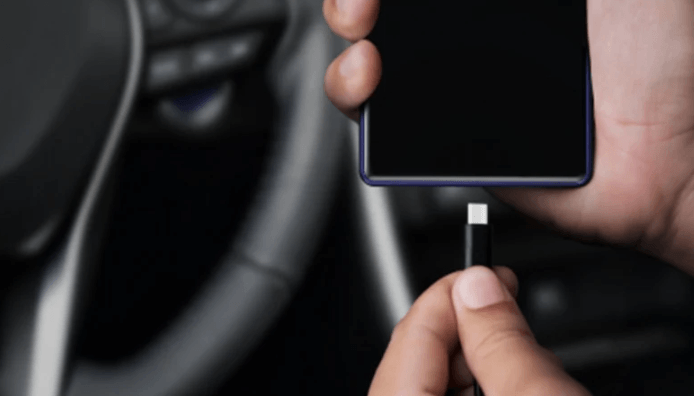
Why Do You Need a USB Cable for Android Auto?
Android Auto uses the USB connection between your smartphone and vehicle to exchange information in real time.
The cable performs three important functions.
1. Stable Data Connection
The most important role of an Android Auto cable is maintaining communication between your phone and your car.
Android Auto continuously transfers information including:
GPS navigation data
Music streaming commands
Voice assistant instructions
Phone call information
App interactions
A low-quality cable may lose connection because of unstable data transmission.
This can cause:
Screen freezing
Delayed response
Random disconnection
A high-quality Android Auto USB cable provides a more reliable connection for daily driving.
2. Power Delivery and Phone Charging
While Android Auto is running, your smartphone continues consuming power.
Navigation apps, Bluetooth communication, GPS, and display usage can drain battery quickly.
A reliable USB cable allows your phone to receive power while maintaining data communication.
However, charging speed depends on:
Vehicle USB port output
Phone charging capability
Cable specifications
A cable designed only for charging may not support Android Auto properly because it lacks sufficient data capability.
3. Real-Time Data Transfer
Android Auto requires continuous data exchange.
Unlike a basic charging cable, an Android Auto compatible cable must support reliable USB communication.
This is why some cables charge phones normally but fail when connected to a vehicle.
How to Choose the Best USB Cable for Android Auto
Choosing the correct cable requires more than checking whether the connector fits.
The best Android Auto cable should match your phone, vehicle, and usage requirements.
1. Check USB Cable Data Transfer Standards
One of the most important factors is data capability.
Many users assume every USB cable supports the same performance.
However, USB cables can have very different specifications.
USB 2.0 Cable
USB 2.0 supports:
Up to 480 Mbps data transfer
Basic smartphone communication
Android Auto functions
For most Android Auto users, a high-quality USB 2.0 cable is usually sufficient.
USB 3.0 / USB 3.x Cable
USB 3.x supports higher data speeds.
It is useful for users who also need:
Large file transfers
External storage connection
Professional data applications
For normal Android Auto usage, reliability and construction quality are often more important than maximum speed.
2. Choose the Correct USB Connector Type
Compatibility is critical.
Different smartphones use different connectors.
USB-C Android Phones
Most modern Android smartphones use USB-C ports.
These devices typically require:
or
depending on the vehicle USB port.
Older Android Phones
Some older smartphones still use:
Micro USB
These require a Micro USB Android Auto cable.
Before purchasing, always confirm:
Phone connector type
Vehicle USB port type
Android Auto compatibility
3. Select the Right Cable Length
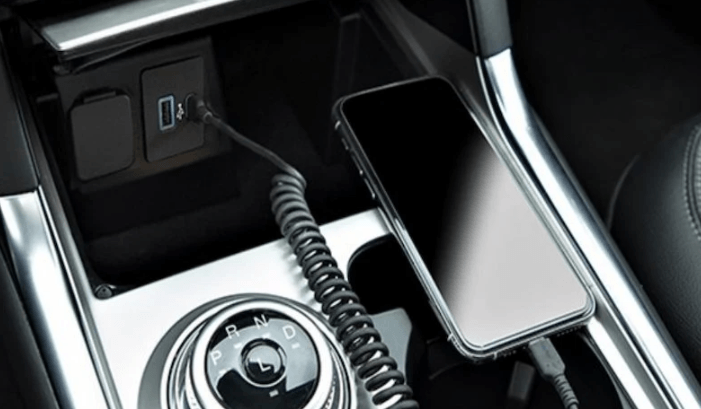
Cable length directly affects convenience.
For most vehicles, the ideal length is:
3 feet (1 meter) to 6 feet (1.8 meters)
A shorter cable:
Reduces cable clutter
Keeps the dashboard organized
Provides cleaner installation
A longer cable:
Provides flexibility
Allows easier phone placement
However, extremely long cables may increase signal loss risk, especially with lower-quality products.
For most drivers, a 6ft USB-C Android Auto cable provides a good balance between flexibility and usability.
4. Choose a Durable Android Auto Cable Design
Vehicles create unique challenges for charging cables.
A car cable experiences:
Frequent plugging and unplugging
Bending near connectors
Heat exposure
Movement while driving
Storage inside vehicles
This is why durability matters.
A reliable Android Auto cable should include:
Reinforced Connector Design
The connector area experiences the highest mechanical stress.
Strong strain relief helps prevent:
Cable breaking
Internal wire damage
Connection instability
Braided Outer Jacket
A braided USB cable provides additional protection against:
Daily bending
Surface wear
Friction
For drivers who use Android Auto every day, a durable braided cable can provide better long-term value.
5. Avoid Cheap or Charging-Only USB Cables
One of the most common Android Auto problems comes from using unsuitable cables.
Some inexpensive cables are designed only for charging.
They may:
Charge your phone normally
Fail to transfer data
Disconnect frequently
A proper Android Auto compatible cable should support both:
Stable charging
Reliable data transmission
Price is not always the indicator of quality, but extremely low-cost cables often reduce internal materials and testing standards.
Common Android Auto USB Connection Problems and Solutions
Android Auto Keeps Disconnecting
Possible causes:
Damaged cable
Loose connector
Poor data transmission
Dirty USB port
Solutions:
Replace the cable
Clean the phone port
Try a certified data cable
Phone Charges But Android Auto Does Not Work
This usually means the cable supports power but not proper data communication.
Try using:
A high-quality USB data cable
A shorter cable
A cable specifically designed for Android Auto
Android Auto Connection Is Slow
Possible reasons:
Low-quality cable
Background phone issues
Outdated software
Solutions:
Update Android Auto
Restart phone and vehicle system
Replace cable if necessary
Engineering Case Study: Developing Reliable Android Auto Cables for Automotive Accessories Brands
Customer Background
A European automotive accessory company selling products in Germany and the Netherlands received increasing customer complaints about unstable Android Auto connections.
The main issues included:
Cable disconnecting during driving
Short lifespan after repeated use
Poor compatibility between different vehicles
The company needed a reliable USB cable solution for retail customers.
OSKO Manufacturing Solution
OSKO analyzed the customer’s requirements from an engineering perspective.
The solution focused on:
Improved Cable Structure
A stronger cable jacket was developed to handle repeated vehicle usage.
Stable Data Transmission
Internal conductor selection was optimized to maintain reliable USB communication.
Connector Reinforcement
Stress points were improved to reduce failures caused by daily plugging and unplugging.
Production Quality Control
Each production batch was tested for:
Data transmission stability
Charging performance
Connector reliability
Mechanical durability
The final cable solution improved customer satisfaction and reduced replacement complaints.
This case demonstrates that an automotive USB cable is not simply a charging accessory.
It is a communication component between smartphone technology and vehicle systems.
OSKO Professional USB Cable Manufacturing Capability
OSKO specializes in developing and manufacturing USB cable solutions for global markets.
Our products support applications including:
Android Auto cables
CarPlay cables
USB-C charging cables
Fast charging PD cables
OEM customized USB cables
Manufacturing capabilities include:
Custom cable length
Logo customization
Connector customization
Braided cable design
Private label packaging
OEM/ODM production
For automotive accessory brands and distributors searching for an OEM USB cable manufacturer, stable quality and engineering capability are essential.
OSKO provides production solutions designed for consumer electronics, automotive accessories, and retail applications.
USB Cable Selection Guide for Android Auto Users
Choose based on your situation:
For Daily Android Auto Driving
Recommended:
USB-C data cable
3ft–6ft length
Durable outer jacket
Reliable connector design
For Long Road Trips
Recommended:
Reinforced cable construction
Stable charging performance
Heat-resistant materials
For Automotive Retail Businesses
Recommended:
OEM customization
Consistent production quality
Private label packaging
Bulk manufacturing support
FAQ: Android Auto USB Cable Questions
Do I need a special USB cable for Android Auto?
Android Auto does not require a special connector, but it does require a reliable USB data cable that supports communication between your phone and vehicle.
Why does my Android Auto keep disconnecting?
The most common reasons include damaged cables, poor-quality cables, loose connections, outdated software, or dirty USB ports.
Does every USB-C cable work with Android Auto?
No. Some USB-C cables are designed only for charging and may not support stable data transfer required by Android Auto.
What is the best USB cable for Android Auto?
The best Android Auto cable should provide stable data transfer, correct connector compatibility, suitable length, and durable construction.
Is USB 2.0 enough for Android Auto?
Yes. USB 2.0 can support most Android Auto applications because the required data transfer volume is relatively low. Cable quality and stability are often more important.
Should I use a short or long Android Auto cable?
A 3ft to 6ft cable is usually ideal because it provides enough flexibility while reducing cable clutter.
Can a charging-only cable work with Android Auto?
No. Charging-only cables may charge your phone but cannot provide the data connection needed for Android Auto.
Conclusion: The Right USB Cable Creates a Better Driving Experience
Android Auto improves the driving experience by connecting smartphones with vehicle systems.
However, the quality of that experience depends heavily on the USB cable.
A reliable Android Auto cable provides:
Stable connection
Consistent data transfer
Reliable charging
Better durability
For everyday drivers, choosing a high-quality USB-C cable can prevent frustrating disconnections and improve convenience.
For businesses, working with an experienced USB cable manufacturer ensures consistent product quality and customer satisfaction.
As vehicles and smartphones continue evolving, the USB cable remains an important bridge between mobile technology and automotive systems.
A better cable means a smoother connection, safer driving experience, and more reliable everyday technology.
