















Introduction
When users connect a USB-C cable to transfer files, they usually expect high-speed performance because USB-C has become the standard connector for smartphones, laptops, tablets, cameras, and external storage devices.
However, many people experience slow file transfers even when using a modern USB-C connection.
The reason is simple:
USB-C describes the connector shape, not the data transfer speed.
Two cables with the same USB-C connector can have completely different performance levels. One USB-C cable may only support 480Mbps, while another advanced cable can reach 40Gbps with USB4 or Thunderbolt technology.
Understanding USB-C transfer speed is important when choosing cables for charging, data synchronization, gaming devices, professional storage, video production, and enterprise applications.
For consumers, selecting the correct cable improves daily efficiency.
For distributors, retailers, and engineering buyers, choosing the right USB-C cable supplier ensures product reliability, lower return rates, and better customer satisfaction.
OSKO specializes in professional USB cable manufacturing, providing OEM and ODM solutions including high-speed USB-C cables, PD charging cables, braided USB cables, and customized cable assemblies for global markets.

What Is USB-C Transfer Speed?
USB-C transfer speed refers to how quickly digital data moves between two connected devices through a USB-C cable.
Common examples include:
Moving photos from a smartphone to a computer
Copying videos from a camera
Transferring files to an external SSD
Connecting laptops to docking stations
Synchronizing professional equipment
The actual speed depends on three major factors:
- USB cable specification
- Device port capability
- Connected device performance
A USB-C connector alone does not guarantee high-speed transmission.
USB-C Data Transfer Speed Standards Explained
Different USB standards provide different performance levels.
| USB Standard | Maximum Transfer Speed | Common Applications |
|---|---|---|
| USB 2.0 | 480Mbps | Charging cables, keyboards, mice, CarPlay |
| USB 3.2 Gen 1 | 5Gbps | Daily file transfers |
| USB 3.2 Gen 2 | 10Gbps | External SSD, video files |
| USB 3.2 Gen 2×2 | 20Gbps | Professional storage applications |
| USB4 / Thunderbolt | Up to 40Gbps | High-speed SSD, displays, professional workflows |
Many consumers assume that every USB-C cable supports high-speed data transfer.
This is incorrect.
A large number of USB-C charging cables are designed mainly for power delivery and only support USB 2.0 data speeds.
For example:
A 240W USB-C charging cable may provide excellent charging performance but still transfer files at only 480Mbps.
USB-C Charging Speed vs Data Transfer Speed
One of the biggest misunderstandings about USB-C cables is confusing charging capability with data performance.
They are two separate specifications.
A cable can have:
High Charging Power + Low Data Speed
Example:
240W charging
USB 2.0
480Mbps data transfer
Suitable for:
Smartphones
Tablets
Daily charging
Medium Charging Power + High Data Speed
Example:
100W charging
USB 3.2 Gen 2
10Gbps data transfer
Suitable for:
External SSD
Professional users
Large file transfers
High Charging Power + Maximum Data Speed
Example:
100W/240W charging
USB4
40Gbps transfer speed
Suitable for:
Thunderbolt docks
8K displays
Professional creative workflows
When purchasing a USB-C cable, always check both:
Charging wattage
Data transfer speed
What Determines Real USB-C Transfer Speed?
1. USB-C Cable Internal Structure
The cable design is one of the most important factors affecting performance.
High-speed USB-C cables require:
More internal signal wires
Better conductor materials
Improved shielding design
Precision manufacturing
A basic USB 2.0 cable usually contains fewer data lines.
A USB4 or Thunderbolt cable requires advanced internal architecture to maintain high-frequency signal transmission.
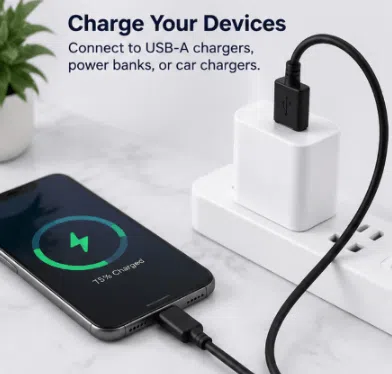
2. Cable Material and Signal Protection
High-speed data transmission is sensitive to interference.
Professional USB-C cables often use:
Pure copper conductors
Aluminum foil shielding
Braided shielding layers
High-quality insulation materials
These structures help reduce:
Signal loss
Electromagnetic interference
Data transmission instability
For engineering buyers, cable material selection directly affects product lifespan and user experience.
USB-C Cable Speed Selection Guide
For Charging Smartphones
Recommended:
USB 2.0 USB-C cable (480Mbps)
Suitable for:
iPhone charging
Android phones
Tablets
Power banks
If your main purpose is charging, high-speed data capability is unnecessary.
For Everyday Data Transfer
Recommended:
USB-C 5Gbps or 10Gbps cable
Suitable for:
Photos
Documents
Music files
Backup data
A 10Gbps USB-C cable provides a good balance between price and performance.
For External SSD and Video Editing
Recommended:
USB-C 10Gbps / 20Gbps cable
Suitable for:
4K video files
Professional cameras
External NVMe SSD
Content creators
Faster cables significantly reduce waiting time when transferring large files.
For Professional Workstations
Recommended:
USB4 or Thunderbolt 40Gbps cable
Suitable for:
Docking stations
Multiple displays
High-performance storage
Professional editing systems
These cables provide maximum bandwidth for advanced applications.
Engineering Case Study: Developing High-Speed USB-C Cable Solutions for European Storage Equipment Brand
A European electronics company planned to launch a premium USB-C accessory series for professional users in Germany and the Netherlands.
Their main requirements included:
Stable 10Gbps data transfer
Support for 100W PD charging
Compatibility with laptops and external SSD devices
Premium braided appearance
Low failure rate for retail customers
During initial testing, several supplier samples showed problems:
Data speed dropped during long transfers
Cable temperature increased during high-power charging
Connector connection became unstable after repeated use
OSKO engineering team optimized the cable structure through:
Improved copper conductor selection
Enhanced shielding layers
Reinforced connector molding
Professional signal testing procedures
The final customized USB-C cable solution achieved stable charging and data performance while maintaining durability for daily professional use.
This project demonstrates why selecting an experienced USB-C cable manufacturer is important for brands entering competitive markets.

How to Choose a Fast Data Transfer USB-C Cable
Before purchasing a USB-C cable, check the following:
Check the Speed Label
Look for:
5Gbps
10Gbps
20Gbps
40Gbps
Avoid products that only advertise charging wattage.
Check Device Compatibility
Your cable speed cannot exceed your device capability.
Example:
A 40Gbps USB4 cable connected to a 5Gbps laptop port will only work at 5Gbps.
Consider Cable Length
Longer cables may experience greater signal loss.
For high-speed applications:
Short cables generally provide better performance
Premium shielding is recommended for longer cables
Why Choose OSKO USB-C Cable Manufacturing Solutions?
OSKO provides professional OEM and ODM USB cable manufacturing services for global customers.
Our capabilities include:
Custom USB-C cable design
High-speed data cable production
PD fast charging cable manufacturing
Braided cable solutions
Private label packaging
Products include:
USB-C to USB-C cables
USB-A to USB-C cables
USB4 cables
High-power PD cables
Custom charging solutions
With engineering-focused production processes, OSKO helps brands develop reliable cable products for consumer electronics markets worldwide.
How to Choose the Right USB-C Transfer Speed Cable for Different Applications
Choosing a USB-C cable based only on connector type or charging wattage can lead to performance problems. For consumers, this may mean slow photo transfers or longer backup times. For engineering teams, distributors, and procurement buyers, selecting the wrong cable specification can create product returns, customer complaints, and unnecessary replacement costs.
A professional USB-C cable selection process should evaluate data transfer speed, charging capability, cable construction, compatibility, and application requirements together.
USB-C Cable Selection Guide for Different Users
1. Smartphone Charging and Daily Accessories
For smartphones, tablets, wireless headphones, keyboards, and other daily accessories, a USB-C cable supporting USB 2.0 480Mbps transfer speed is usually sufficient.
These applications mainly require:
Stable charging performance
Safe power delivery
Durable connector structure
Flexible cable jacket
Long bending lifespan
For example, a USB-C to USB-C cable rated for 60W PD charging and 480Mbps data transfer is suitable for most mobile devices, including Android smartphones, iPhone 15/16/17 series, tablets, and portable devices.
For retail brands, this type of cable provides a good balance between cost efficiency and user experience.
2. Automotive Applications and CarPlay Systems
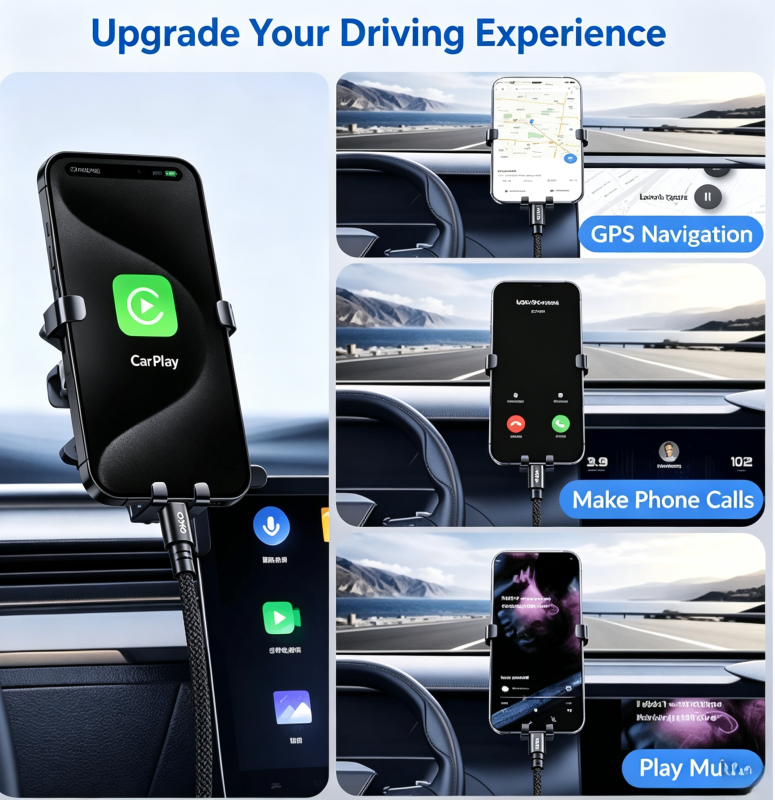
Modern vehicles increasingly use USB-C ports for smartphone connectivity. However, many users confuse charging capability with data capability.
A cable used for wired CarPlay requires stable data transmission rather than only high charging power.
Recommended specifications:
USB 2.0 480Mbps minimum
Reliable shielding design
Strong connector protection
Length options such as 3ft or 6ft
A high-quality USB-C cable prevents:
Connection interruptions
Audio delays
Device recognition failures
Random disconnection during driving
For automotive suppliers and aftermarket brands, cable durability is especially important because vehicle environments involve temperature changes, vibration, and frequent plugging cycles.
3. Professional Photography and Video Production
Content creators, photographers, and professional users often transfer large files from cameras, SSD storage devices, and mobile devices.
For these applications, USB 2.0 cables create a major bottleneck.
Recommended specifications:
| Application | Recommended Speed |
|---|---|
| Photo transfer | USB 3.2 Gen 1 (5Gbps) |
| 4K video workflow | USB 3.2 Gen 2 (10Gbps) |
| Professional SSD workflow | USB 3.2 Gen 2×2 (20Gbps) |
| Advanced workstation setup | USB4 / Thunderbolt 40Gbps |
A 100GB video file transferred through a 480Mbps cable can take significantly longer compared with a 10Gbps or 40Gbps cable.
For professional users, cable performance directly affects workflow efficiency.
Material Science Behind High-Speed USB-C Cable Performance
USB-C transfer speed depends not only on electronic standards but also on internal cable engineering.
A professional USB-C cable typically includes several important components:
High-Purity Copper Conductors
The internal conductor material determines electrical efficiency and signal stability.
Premium USB-C cables commonly use:
Oxygen-free copper (OFC)
Multi-core copper wires
Thickened power conductors
Higher-quality copper reduces:
Voltage drop
Heat generation
Signal attenuation
This becomes especially important for long cables and high-power charging applications.
Shielding Structure
High-speed USB-C data transmission requires protection against electromagnetic interference (EMI).
Poor shielding may cause:
Data corruption
Transfer interruptions
Reduced speed
Signal instability
Professional cables often include:
Aluminum foil shielding
Braided shielding layer
Grounding structure
This allows stable transmission in environments with multiple electronic devices.
E-Marker Chip Technology
For high-power USB-C cables, an E-Marker chip is an important component.
The chip communicates cable specifications between devices, including:
Maximum supported power
Current capability
USB protocol information
For example:
Standard cable: up to 60W
E-Marker cable: supports higher current applications such as 100W, 140W, or 240W PD charging
For laptop charging and professional devices, selecting an E-Marker equipped cable helps ensure safe operation.
Engineering Case Study: OSKO Customized USB-C Cable Solution for European Industrial Distributo
A European electronics distributor planned to launch a new charging accessory line for business customers in Germany and the Netherlands. Their original supplier provided low-cost USB-C cables, but customers reported inconsistent transfer speeds and unstable connections when using external storage devices.
The main requirements included:
USB-C to USB-C cable design
100W Power Delivery support
Stable data synchronization
1.5m custom length
Custom OEM packaging
Minimum 20,000 bending cycles
OSKO engineering team analyzed the customer’s application environment and recommended:
Reinforced copper conductor structure
Multi-layer EMI shielding
E-Marker chip integration
Nylon braided outer jacket
Customized connector stress relief design
During testing, the optimized cable maintained stable charging performance and improved data reliability compared with the previous supplier solution.
The final OEM cable was adopted for the distributor’s laptop accessory product line and expanded into additional European markets.
This project demonstrates why USB-C cable selection requires more than checking charging wattage. Electrical design, material selection, and manufacturing quality all influence real-world performance.
OEM USB-C Cable Manufacturing Considerations for Bulk Buyers
For wholesalers, distributors, and private-label brands, USB-C cable specifications should match the target market.
Important procurement factors include:
1. Define Required Performance
Before production, buyers should confirm:
Charging power requirement
Data transfer speed
Cable length
Connector type
Application environment
Example:
A retail smartphone charging cable may only need:
60W PD
480Mbps data
Nylon braid
A professional laptop cable may require:
240W PD
E-Marker chip
USB4 compatibility
2. Check Certifications and Compliance
For international markets, compliance requirements are important.
Common certifications include:
USB-IF certification
CE
FCC
RoHS
REACH
For European buyers, compliance documentation can simplify market entry.
For US buyers, safety certification and material compliance improve customer confidence.
3. Evaluate Factory Manufacturing Capability
A reliable USB-C cable manufacturer should provide:
Engineering support
Custom mold development
Cable testing reports
Material verification
OEM packaging solutions
OSKO specializes in OEM and ODM USB cable manufacturing, supporting customized solutions for wholesalers, brands, and engineering procurement teams.
FAQ
Is USB-C the same as USB 3.2?
No. USB-C describes the connector shape, while USB 3.2 describes the data transfer standard. A USB-C cable can support USB 2.0, USB 3.2, USB4, or Thunderbolt depending on its internal design.
Does a 240W USB-C cable transfer data faster?
Not necessarily. Many 240W USB-C charging cables only support USB 2.0 480Mbps data transfer. High charging power and high-speed data transfer are separate specifications.
What USB-C transfer speed is best for most users?
For everyday users, 5Gbps or 10Gbps is usually enough. Professional users working with large video files or external SSDs may need 20Gbps or 40Gbps USB-C cables.
How can I identify a high-speed USB-C cable?
Check the product specifications. A quality cable should clearly indicate:
USB standard
Maximum transfer speed
Charging power
E-Marker support if applicable
If a cable only lists wattage and does not mention data speed, it may only support basic USB 2.0 transfer.
Can all USB-C cables connect to laptops?
Most USB-C cables can physically connect to laptops, but functionality varies. Some support charging only, while others support data transfer, video output, or high-power charging.
Is a braided USB-C cable better?
A braided USB-C cable usually provides better mechanical protection, improved resistance against bending, and longer service life compared with basic PVC cables. However, internal design and conductor quality are equally important.
Summary
USB-C transfer speed is determined by more than the connector itself. The same USB-C plug can support everything from basic 480Mbps charging cables to advanced 40Gbps professional data cables.
For consumers, choosing the correct USB-C cable improves charging reliability and daily convenience.
For businesses, distributors, and engineering buyers, selecting the correct specification ensures product performance, customer satisfaction, and long-term market competitiveness.
As an experienced OEM USB cable manufacturer, OSKO provides customized USB-C cable solutions including fast charging cables, high-speed data cables, braided cables, and private-label production services.
Contact OSKO
OSKO provides OEM/ODM USB-C cable manufacturing solutions for global brands, wholesalers, and engineering procurement customers.
Customized options include:
PD fast charging cables
High-speed data transfer cables
Custom logo and packaging solutions
Contact OSKO for professional USB cable manufacturing support.
