















For frequent travelers, carrying multiple charging cables for a MacBook Pro, iPad, and smartphone can quickly become frustrating. A laptop cable, tablet cable, and phone charger often create unnecessary weight, clutter, and confusion inside a travel bag.
The solution is choosing the best charging cable for MacBook Pro and iPad—a reliable USB-C cable that can support high-power charging, fast data transfer, and daily travel durability.
Modern Apple devices have moved toward USB-C because it provides a universal connection standard for charging, data transfer, and accessories. However, not every USB-C cable delivers the same performance.
A low-quality cable may cause:
Slow MacBook charging
Limited iPad charging speed
Unstable connections
Failed data transfers
Short product lifespan
This guide explains what to look for when selecting a USB-C charging cable for MacBook Pro and iPad travel kits, including power requirements, durability, data performance, and professional travel recommendations.

What Makes the Best Charging Cable for MacBook Pro and iPad?
A high-performance USB-C cable needs more than just a USB-C connector.
The best cable should provide:
1. High Power Delivery Capability
2. Durable Construction
3. Fast Data Transfer
4. Universal Device Compatibility
5. Travel-Friendly Design
Choosing the correct specifications ensures your MacBook Pro charges efficiently while your iPad and other USB-C devices remain fully supported.
USB-C Power Delivery: The Most Important Feature
Modern MacBook Pro and iPad models rely on USB-C Power Delivery (USB PD) technology.
USB PD allows the charger, cable, and device to communicate and automatically negotiate the safest charging power.
For example:
iPhone may require around 20W–30W
iPad Pro may require around 30W
MacBook Air may require 45W–67W
MacBook Pro may require 60W–140W depending on the model
A quality USB-C PD cable automatically adjusts power based on the connected device.
How Many Watts Does a MacBook Pro Charging Cable Need?
The required wattage depends on the MacBook Pro model.
Typical requirements:
| Device | Recommended Cable Rating |
|---|---|
| iPhone | 20W–30W |
| iPad | 30W–60W |
| MacBook Air | 60W–67W |
| MacBook Pro 14-inch | 67W–96W |
| MacBook Pro 16-inch | 100W+ |
For maximum compatibility, many professionals choose:
100W USB-C cable
140W USB-C cable
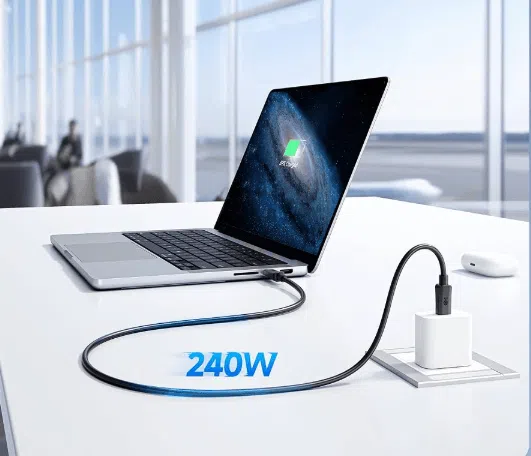
240W USB-C cable
A higher-rated cable is backward compatible, meaning it can safely charge lower-power devices.
Can One USB-C Cable Charge MacBook Pro, iPad, and iPhone?
Yes.
A properly designed USB-C Power Delivery cable can charge multiple Apple devices.
A single high-quality cable can support:
MacBook Pro
MacBook Air
iPad Pro
iPad Air
iPhone
AirPods charging cases
The key requirement is choosing a cable with sufficient power capability.
For example:
A 100W USB-C cable can safely charge:
A MacBook Pro requiring 96W
An iPad requiring 30W
An iPhone requiring 27W
The device only draws the power it needs.
Why Cable Wattage Matters
Many users assume all USB-C cables are identical.
They are not.
USB-C cables have different current ratings.
3A USB-C Cable
Maximum:
Around 60W charging
Suitable for:
Smartphones
Tablets
Lightweight laptops
5A USB-C Cable
Usually includes an E-marker chip.
Supports:
100W charging
140W charging
Higher-performance devices
Ideal for:
MacBook Pro
Gaming laptops
Professional workstations
Why an E-Marker Chip Is Important
High-power USB-C cables require an electronic marker chip.
The E-marker communicates information between:
Charger
Cable
Device
It identifies:
Cable power capability
Current limit
Charging safety information
Without proper identification, chargers may reduce power output to protect the device.
Travel Durability: What Makes a Cable Last Longer?
Travel environments are demanding.
Charging cables experience:
Tight bending
Frequent coiling
Backpack pressure
Airport use
Hotel charging conditions
A travel-ready USB-C cable should include durable materials.
Braided Nylon Cable Jacket
Compared with standard PVC cables, braided nylon provides:
Better abrasion resistance
Improved flexibility
Reduced tangling
Longer lifespan
For business travelers, a braided USB-C cable is often a better investment than replacing cheap cables repeatedly.
Reinforced Connector Design
The connector area is the most common cable failure point.
Premium cables use:
Flexible strain relief
Strong connector housing
Reinforced internal structure
This prevents:
Cable separation
Internal wire damage
Charging interruptions
Cable Length for Travel: 3ft vs 6ft
Cable length affects convenience and performance.
3ft (1 meter)
Best for:
Airport desks
Office setups
Power banks
Advantages:
Easy storage
Lower resistance
Faster charging efficiency
6ft (2 meters)
Best for:
Hotel rooms
Conference tables
Hard-to-reach outlets
Advantages:
More flexibility
Better working distance
For most travelers, a 6ft braided USB-C cable offers the best balance between convenience and portability.
Why Cheap Charging Cables Fail During Travel
Low-cost cables often use:
Thin copper wires
Weak connectors
Poor insulation materials
Common problems include:
Slow Charging
Higher resistance reduces charging efficiency.
Cable Breakage
Repeated bending damages internal wires.
Connection Problems
Poor connectors may disconnect during use.
Data Transfer Failure
Low-quality shielding can cause unstable data transmission.
A premium USB-C cable reduces these problems and provides more reliable performance.
USB-C Cable Data Transfer Speed Matters Too
A travel cable is not only for charging.
Many professionals use USB-C cables for:
External SSD drives
Cameras
Displays
Docking stations
However, charging speed and data speed are separate specifications.
USB-C Data Speed Comparison
| USB Standard | Maximum Speed |
|---|---|
| USB 2.0 | 480 Mbps |
| USB 3.2 Gen 1 | 5 Gbps |
| USB 3.2 Gen 2 | 10 Gbps |
| USB4 | Up to 40 Gbps |
For basic charging:
USB 2.0 is enough.
For business travel:
USB 3.2 or USB4 provides better performance.
Best Travel Setup: USB-C Cable + GaN Charger
A great travel kit combines:
High-power USB-C cable
Compact GaN charger
GaN chargers are popular because they provide:
Higher efficiency
Smaller size
Less heat generation
A 65W–100W GaN charger can often replace multiple traditional chargers.
Example:
One travel charger can power:
MacBook Pro
iPad
iPhone
while reducing luggage weight.
Recommended USB-C Cable Specifications for Travelers
For most professionals:
Minimum Recommendation
USB-C PD support
60W charging
Braided construction
Best Overall Choice
100W USB-C cable
E-marker chip
Nylon braided jacket
USB 3.2 data support
Maximum Performance
240W USB-C cable
USB4 compatibility
Professional workstation support
USB-C Cable OEM Solutions for Brands and Distributors
As USB-C becomes the standard charging interface worldwide, businesses increasingly require customized charging solutions.
Professional USB-C cable manufacturers provide:
Custom cable lengths
Private label USB-C cables
Custom colors and materials
OEM packaging
Bulk production
Retail-ready solutions
These solutions are commonly used by:
Electronics brands
Amazon sellers
Mobile accessory distributors
Corporate gifting companies
A reliable manufacturing partner helps brands develop charging products that meet different market requirements.
Frequently Asked Questions
Can I use the same USB-C cable for MacBook Pro and iPad?
Yes. A USB-C PD cable with sufficient wattage can charge both devices safely.
What is the best wattage USB-C cable for MacBook Pro?
For most MacBook Pro models, a 100W USB-C cable provides excellent compatibility.
Is a 240W USB-C cable better than a 100W cable?
A 240W cable supports higher-power applications, but most users do not need more than 100W.
Does a longer USB-C cable charge slower?
Longer cables can experience higher resistance. High-quality 1–2 meter cables usually provide the best balance.
Are braided USB-C cables better?
Yes. Braided cables generally provide better durability and resistance against daily wear.
Conclusion: Choose One Reliable USB-C Cable for Your Entire Travel Kit
The best charging cable for MacBook Pro and iPad travel kits should deliver more than simple charging.
A professional-grade USB-C cable provides:
Fast Power Delivery charging
Reliable device compatibility
Durable travel construction
High-speed data transfer
Long-term value
Instead of carrying multiple cables, one high-quality USB-C PD cable can simplify your travel setup and keep your MacBook Pro, iPad, and smartphone powered anywhere.
For brands and businesses, customized USB-C cable solutions provide opportunities to create reliable charging products for global markets.
