














Modern electronic devices are becoming increasingly dependent on USB Type-C technology.
From smartphones and tablets to laptops, power banks, gaming devices, and portable accessories, USB-C has become the preferred connection standard because it combines:
Fast charging
High-speed data transfer
Compact design
Universal compatibility
However, many users still rely on older USB-A ports found on:
Desktop computers
Car chargers
Traditional wall adapters
Power banks
This creates the need for a reliable USB to Type C data cable, also known as a USB-A to USB-C cable.
A professional USB-C cable does more than charge your device. It also provides stable data transmission, safe power delivery, and long-term durability for everyday applications.
This guide explains how USB to Type-C cables work, their charging capability, data speeds, material differences, and how to select the right cable for personal or business use.

What Is a USB to Type C Data Cable?
A USB to Type C data cable is a cable with:
One USB Type-A connector
One USB Type-C connector
It allows communication between traditional USB-A devices and modern USB-C devices.
Common applications include:
Charging smartphones
Transferring photos and videos
Connecting mobile devices to computers
Using Android Auto
Using Apple CarPlay
Connecting accessories
Example:
A laptop with a USB-A port can connect to a smartphone with a USB-C port through a USB-A to USB-C cable.
USB Type-A vs USB Type-C: What Is the Difference?
Understanding both connectors helps explain why USB-C has become popular.
USB Type-A Connector
USB-A is the traditional rectangular USB connector used for many years.
Common applications:
Desktop computers
Older chargers
Car USB ports
Power banks
Advantages:
Widely compatible
Affordable
Available on many devices
Limitations:
Large connector size
Cannot be inserted both ways
Lower power capability
USB Type-C Connector
USB-C is the modern USB connector standard.
Advantages:
Reversible design
Smaller size
Higher charging power
Faster data transfer options
USB-C is now commonly found on:
Android smartphones
iPads
MacBooks
Windows laptops
Tablets
Portable SSDs
How Does a USB-C Charging Cable Work?
A USB-C charging cable performs two main functions:
1. Power Delivery
The cable transfers electrical power from:
Wall charger
Computer USB port
Car charger
Power bank
to the connected device.
2. Data Communication
The cable also allows devices to exchange information.
Examples:
Phone backup
File transfer
Photos and videos
Device synchronization
However, not every USB-C cable has the same data speed.
USB-C Cable Charging Performance Explained
Many users assume:
“All USB-C cables support fast charging.”
This is incorrect.
Charging speed depends on:
Cable design
Current rating
Charger output
Device compatibility
USB-C Cable Current Ratings
3A USB-C Cable
A standard 3A cable can typically support:
Up to 60W charging
Suitable for:
Smartphones
Tablets
Small laptops
5A USB-C Cable
A 5A cable usually requires an E-marker chip.
Supports:
100W charging
140W charging
Higher-power applications
Suitable for:
MacBook Pro
Gaming laptops
Professional devices
What Is an E-Marker Chip?
An E-marker chip is an intelligent identification chip inside high-power USB-C cables.
It communicates information between:
Charger
Cable
Device
The chip tells the system:
Maximum current capability
Power rating
Safety information
Without an E-marker chip, many devices limit charging power to protect the hardware.

USB-C Data Transfer Speeds
A professional USB to Type-C data cable should provide reliable data performance.
USB standards include:
| USB Standard | Maximum Speed |
|---|---|
| USB 2.0 | 480 Mbps |
| USB 3.2 Gen 1 | 5 Gbps |
| USB 3.2 Gen 2 | 10 Gbps |
| USB4 | Up to 40 Gbps |
Which Data Speed Do You Need?
Basic Charging
USB 2.0 is enough for:
Phone charging
Keyboard connection
Mouse connection
Photo and Video Transfer
Choose:
USB 3.0 / USB 3.2 cables
Suitable for:
Camera photos
Video files
Phone backups
Professional Applications
Choose higher-speed cables for:
External SSD
Large video files
Professional workflows
Important Factors When Choosing a USB-C Cable
A high-quality USB-C charging cable should consider several factors.
1. Cable Material Quality
Cable materials directly affect:
Charging stability
Durability
Safety
Premium cables usually use:
High-Purity Copper Conductors
Benefits:
Lower resistance
Better power efficiency
Less heat generation
Shielding Protection
Quality shielding reduces:
Signal interference
Data transmission errors
Especially important for:
CarPlay
Android Auto
External storage devices
2. Braided Nylon Design
A braided USB-C cable provides better durability compared with standard PVC cables.
Advantages:
Anti-tangle design
Better bending resistance
Improved abrasion protection
Ideal for:
Travel
Office use
Daily charging
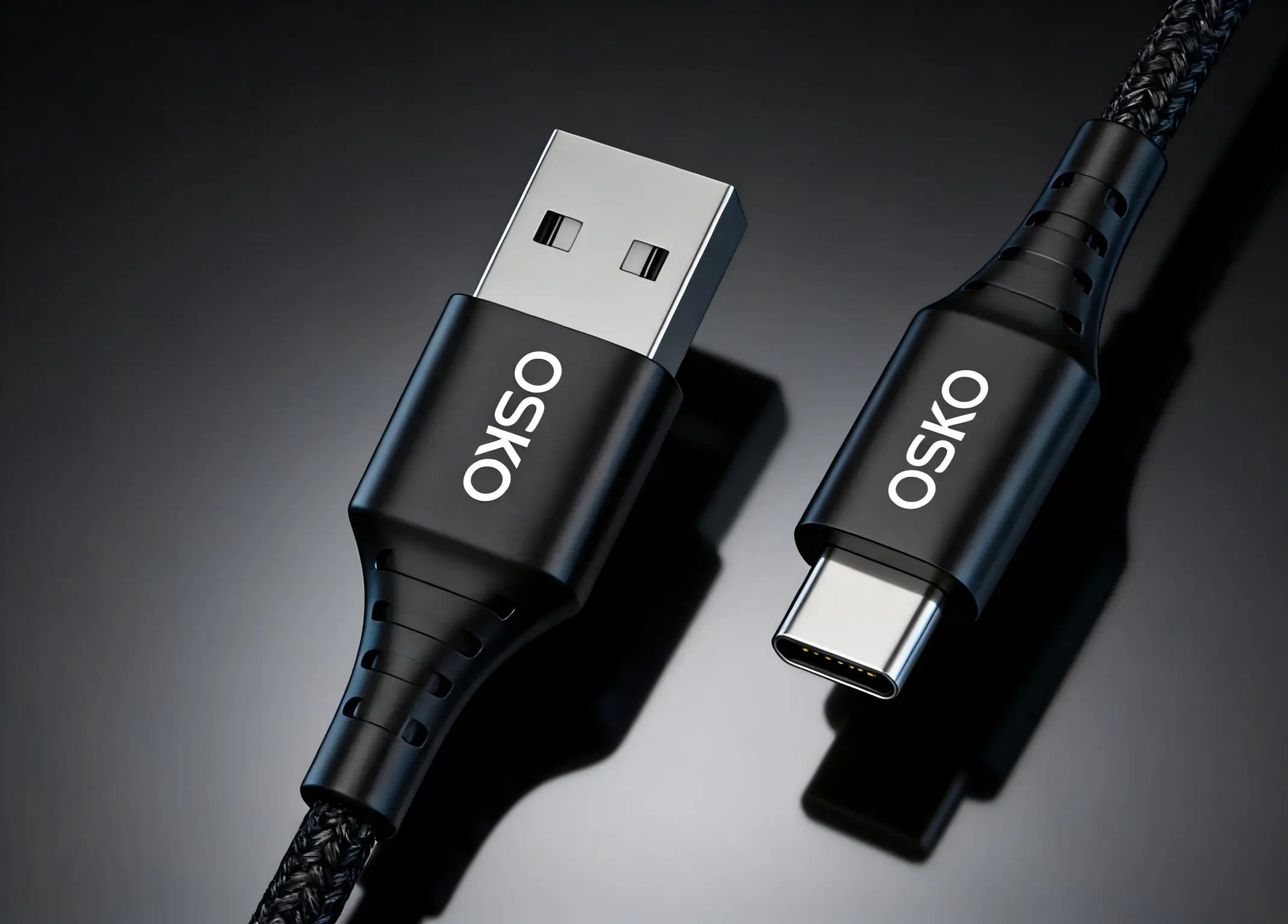
3. Reinforced Connector Structure
The connector area is the most common failure point.
Professional cables use:
Flexible strain relief
Strong connector housing
Reinforced joints
This prevents:
Cable breaking
Loose connections
Charging interruptions
USB-C Cable Length Guide
Cable length affects convenience and performance.
3 Feet (1 Meter)
Best for:
Desk charging
Power banks
Office use
Advantages:
Easy storage
Lower resistance
6 Feet (2 Meters)
Best for:
Bedroom charging
Hotel rooms
Workstations
Advantages:
More flexibility
Longer cables may experience:
Higher resistance
Voltage drop
Reduced charging efficiency
For most users, 1–2 meter cables provide the best balance.
USB-C Cable Applications
A professional USB to Type-C cable can be used in many scenarios.
Smartphone Charging
Compatible with:
Android phones
USB-C smartphones
Mobile accessories
Computer Data Transfer
Used for:
Phone backup
File synchronization
Media transfer
Automotive Connectivity
USB-C cables are commonly used for:
Apple CarPlay
Android Auto
A quality cable provides more stable connections during driving.
Business and OEM Applications
Companies use USB-C cables for:
Retail accessories
Promotional products
Corporate gifts
Private label products
USB-C Cable vs Cheap Charging Cable
Low-cost cables often fail because of:
Thin internal wires
Poor connectors
Weak insulation
Common problems:
Slow charging
Data transfer failure
Cable breakage
Overheating
A professional USB-C cable provides:
Stable performance
Longer lifespan
Better user experience

How to Choose the Best USB to Type C Data Cable
Before purchasing, check:
Charging Requirements
Choose:
3A cable for smartphones
5A cable for high-power devices
Data Requirements
Choose:
USB 2.0 for charging
USB 3.2 for fast transfers
Device Compatibility
Confirm:
Connector type
Charging protocol
Data requirements
Build Quality
Look for:
Braided jacket
Reinforced connectors
Quality copper wire
OEM USB-C Cable Manufacturing Solutions
As USB-C becomes the global charging standard, brands and distributors need reliable manufacturing partners.
Professional USB-C cable manufacturers provide:
Custom USB-C cable design
OEM branding
Private label solutions
Custom lengths
Custom colors
Retail packaging
Bulk production
Applications include:
Consumer electronics brands
Retail companies
Amazon sellers
Mobile accessory distributors
A reliable OEM supplier helps businesses create USB-C cable products that meet different market requirements.
Frequently Asked Questions
Is USB-C cable faster than USB-A?
USB-C supports higher power and faster data speeds, but actual performance depends on cable specifications and device support.
Can USB-A to USB-C cables fast charge phones?
Yes. Many USB-A to USB-C cables support fast charging, depending on the charger and cable rating.
Does every USB-C cable transfer data?
No. Some USB-C cables are designed only for charging.
What USB-C cable is best for Android phones?
A quality 3A USB-C charging cable is suitable for most Android smartphones.
Can USB-C cables charge laptops?
Yes, but laptops require high-power USB-C PD cables, usually 60W or higher.
Conclusion: Choose a Professional USB to Type C Data Cable
A professional USB to Type C data cable is more than a charging accessory.
The right cable provides:
Reliable fast charging
Stable data transfer
Durable construction
Wide device compatibility
Whether you need a cable for daily charging, business applications, or OEM production, choosing the correct USB-C cable specification ensures better performance and longer service life.
For brands and distributors, working with an experienced USB-C cable manufacturer provides customized solutions for growing global markets.
